
This article covers management operations for Shared cards and the Issuing account (funding pool), including account fund in (Fund in), transfer out (Transfer out), auto fund in configuration, as well as the day-to-day management of Shared cards and the related rules.
Issuing account overview
Go to Funds > Shoplazza Accounts > Issuing > Shared Cards to view the Issuing account available balance, auto fund in status, and the list of linked Shared cards. All Shared card spending is automatically deducted from this funding pool.
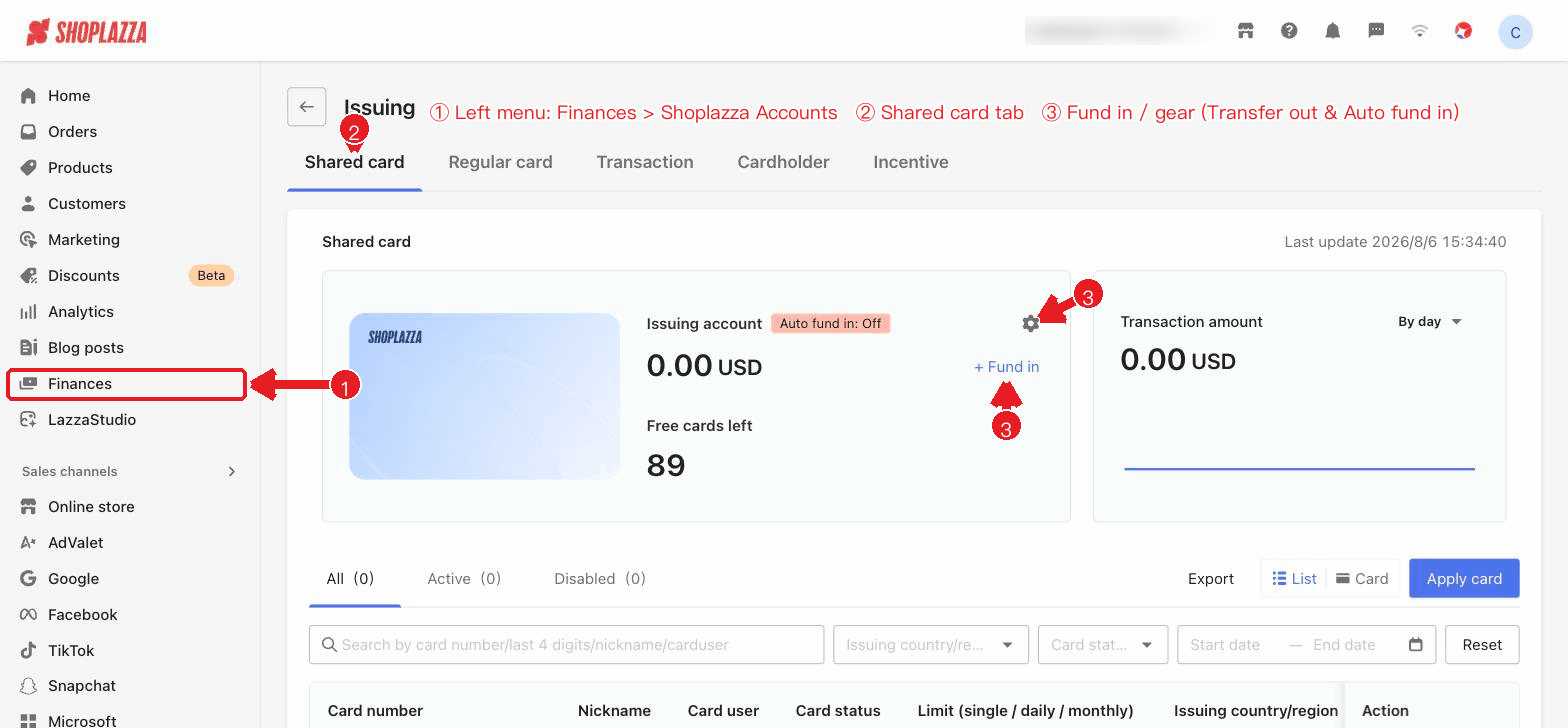
Fund in
1. On the Shared Cards page, click + Fund in.
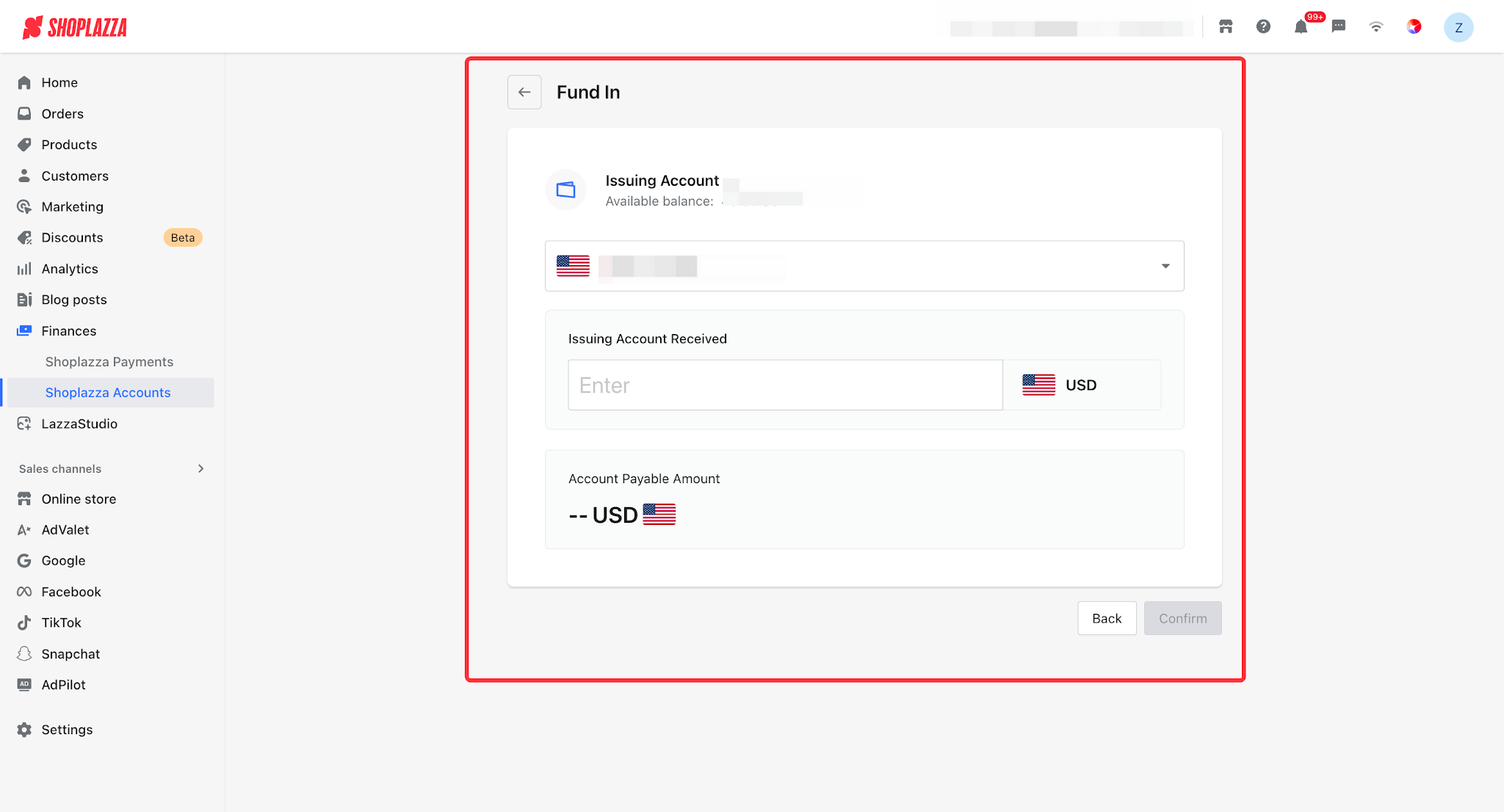
2. Select a payment account and enter the fund in amount (account-level minimum of 100 USD). Funds are transferred from the primary account into the Issuing account and credited in real time.
3. Click Confirm and enter your transaction password to complete the fund in.
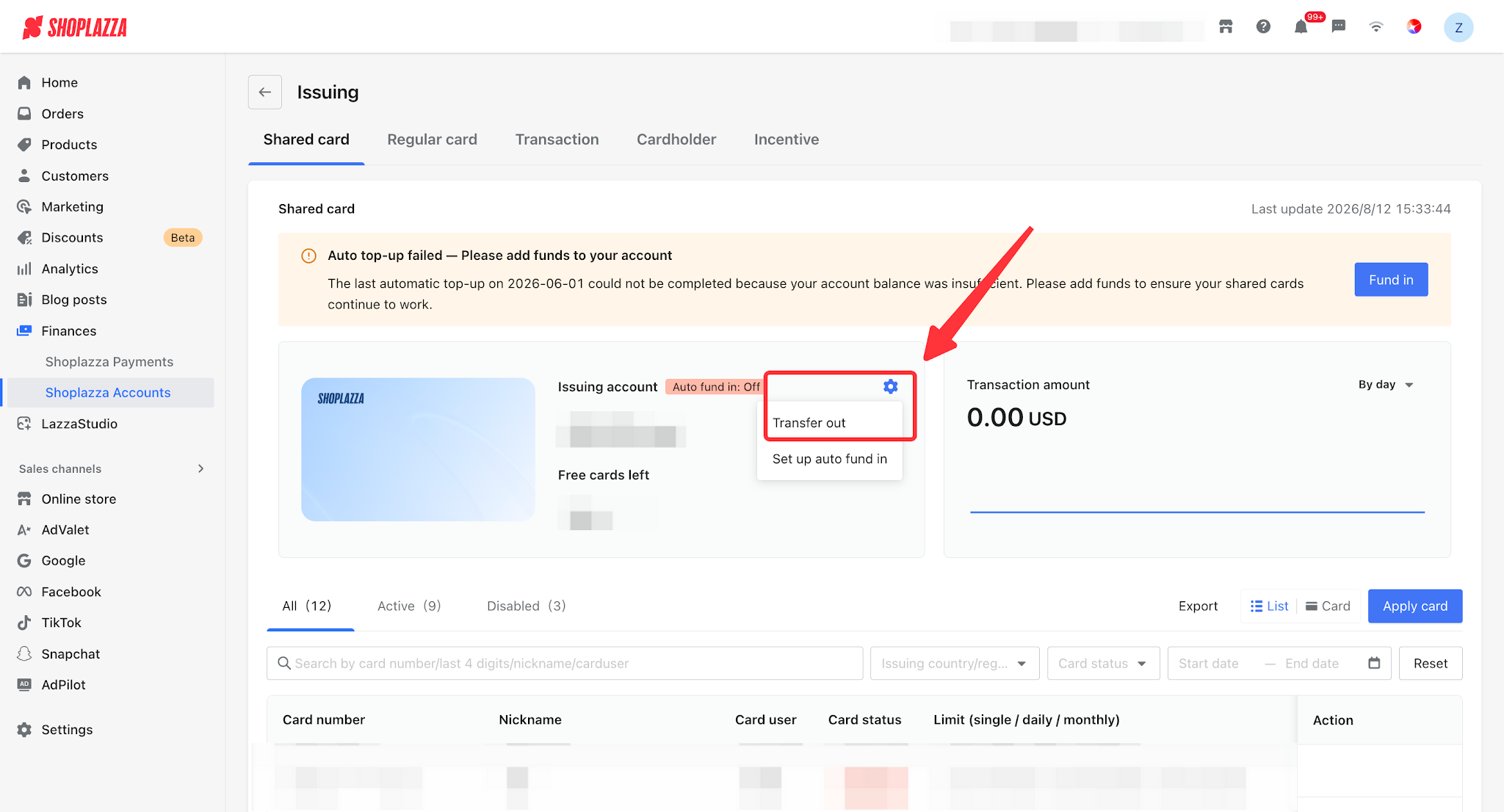
Transfer out
Via the gear menu > Transfer out on the Shared Cards page, you can transfer the Issuing account balance back to the primary account, either in full or in part. A 0.3% fee applies to transfers out; the amount actually credited = transfer out amount − fee, credited to the primary account in real time (transfer-out permission required).
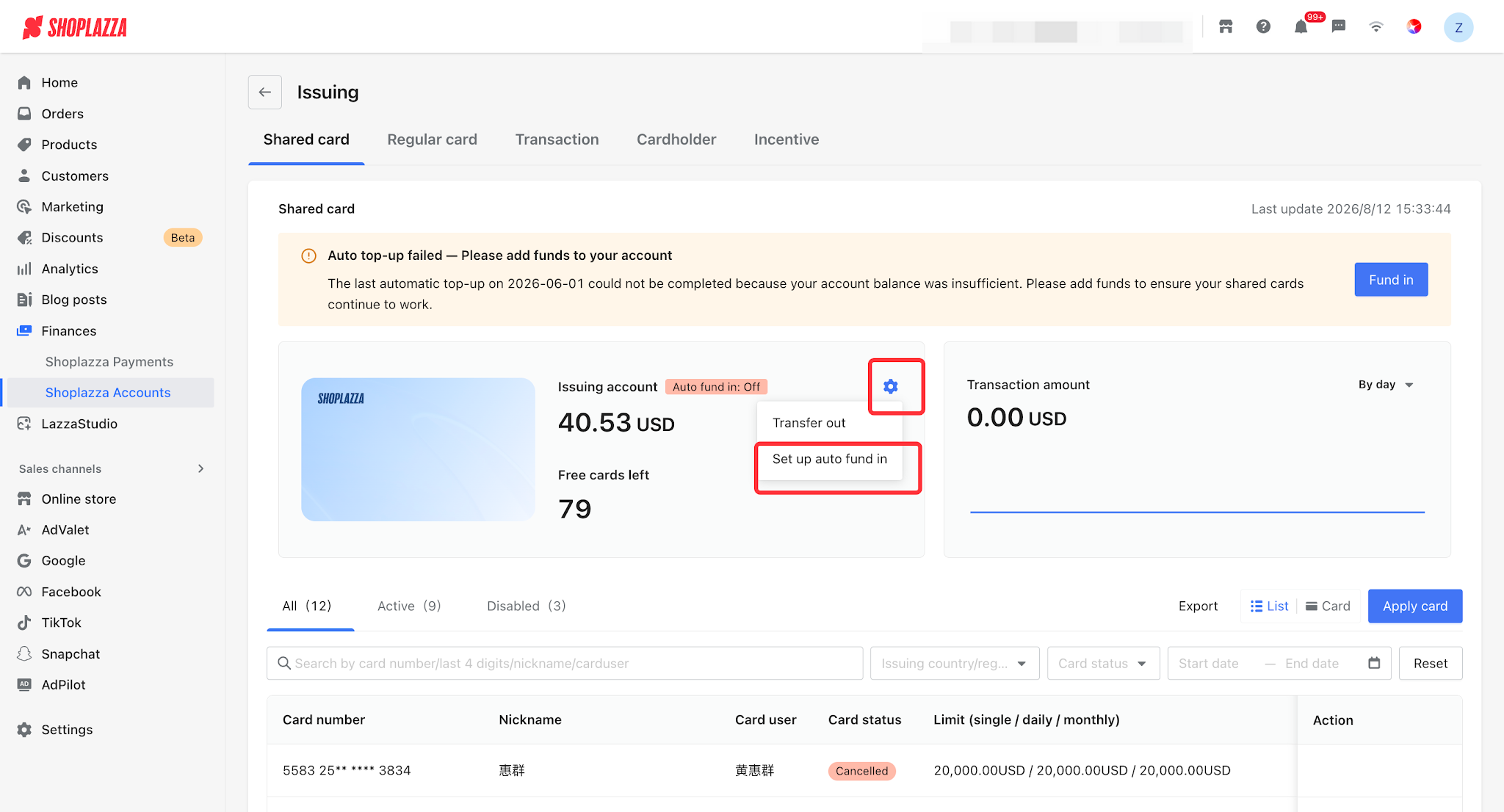
Auto fund in
After enabling it via the gear menu > Set auto fund in, set the trigger threshold and the amount per fund in: when the Issuing account balance falls below the threshold, the system automatically transfers funds from the primary account (both the default threshold and amount are 100 USD, triggered up to 3 times per hour).
Tips
If auto fund in fails due to insufficient balance in the primary account, the page will display "Auto fund in failed — please add funds to your account." Please top up the balance promptly to ensure normal Shared card spending.
Shared card fund rules
| Rule item | Shared card (Issuing account) |
| Funding method | Funds are transferred into the Issuing account (funding pool) for centralized funding, and automatically deducted at the time of spending. |
| Minimum per transaction | Fund in minimum of 100 USD (account-level). |
| Auto fund in | When the balance falls below the threshold, funds are automatically transferred from the primary account. Both the default threshold and amount are 100 USD, ≤ 3 times per hour. |
| Transfer out | Transfer out to the primary account, in full or in part, with a 0.3% fee rate. |
| Prerequisite for cancellation | A single card has no independent balance, so it can be cancelled directly (funds remain in the Issuing funding pool; to retrieve them, transfer them back to the primary account via "Transfer out"). |
UI operations and button descriptions
| Button / control | Location | Function |
| + Fund in | Shared Cards | Fund in to the shared Issuing account (Fund in). |
| Gear menu: Transfer out / Set auto fund in | Shared Cards | Transfer out from the Issuing account (transfer-out permission required) / open the auto fund in configuration dialog (fund in permission required). |
| Auto fund in: toggle / threshold / amount per fund in / Save | Auto fund in dialog | Once enabled, set the trigger threshold and the fund in amount; when the balance falls below the threshold, funds are added automatically (up to 3 times per hour). |
| Details / Freeze / Unfreeze / Cancel (row actions) | Shared card list | Manage an individual Shared card; a Shared card has no independent balance, so it can be cancelled directly. |
| By day / By month | Shared card transaction chart | Switch the statistical granularity of the transaction amount trend. |


Comments
Please sign in to leave a comment.