
This article explains the routine management of Regular cards, including viewing card details and limits, topping up cards, refunding card balances, freezing/unfreezing and canceling cards, as well as the related fund and security rules.
Card details and limits
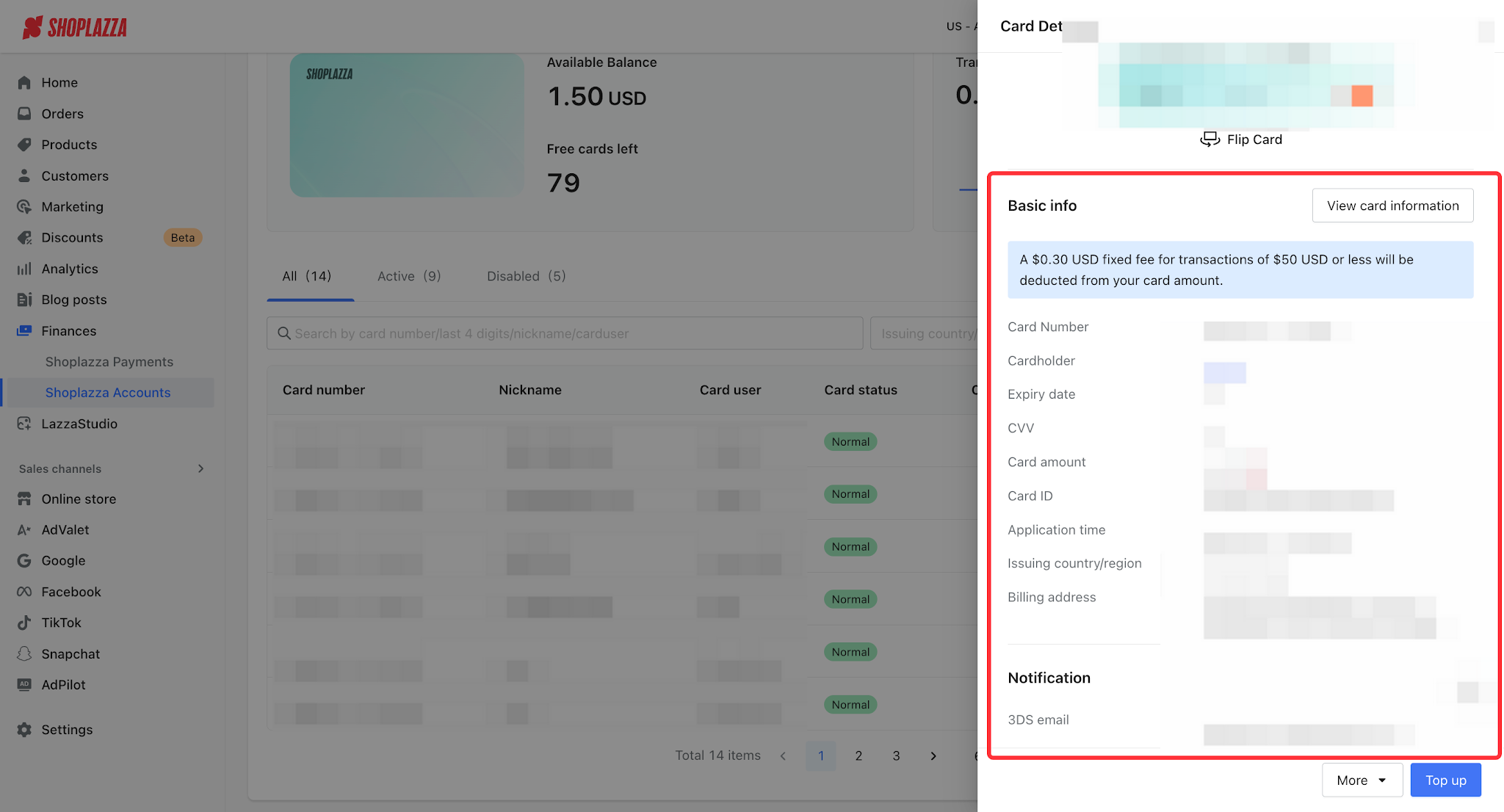
In the Regular card list, click Details to view the card number, expiration date, CVV (unlock by entering the transaction password; viewing window is 1 minute), issuing location, card balance, billing address, and more. You can also set the single / daily / monthly limit (minimum 100 USD; the upper limit depends on the issuing region and is shown on the card detail page; monthly ≥ daily ≥ single).
Top up a card
1. In the Regular card list, click Top up.
2. Select a funding account and enter the top-up amount (the amount credited to the card; minimum 100 USD).
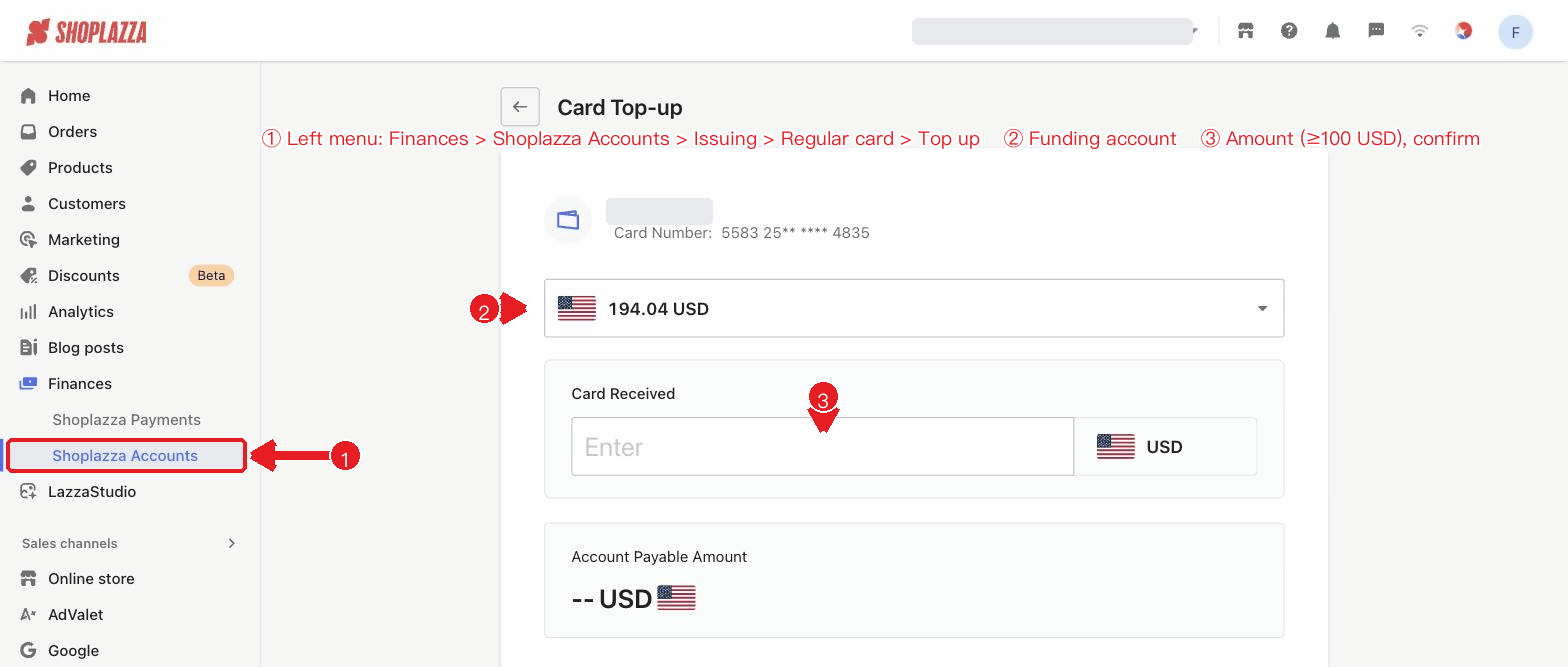
3. If a cross-currency conversion is involved, the system displays the real-time exchange rate and the amount payable from the account.
4. Click Confirm and enter the transaction password to complete the top-up.
Refund card balance
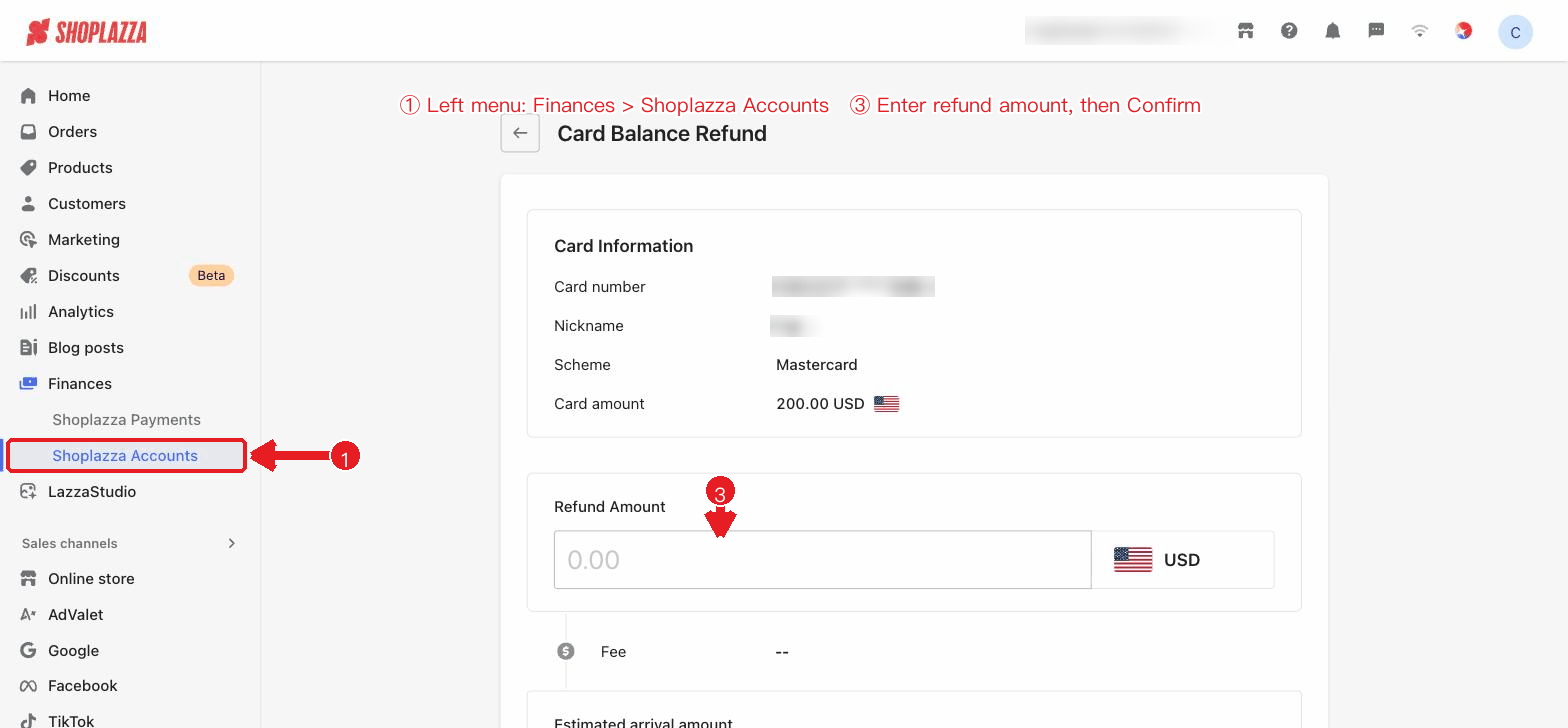
Click Refund, enter the refund amount (click Refund all to fill in the full card balance with one click), confirm the estimated amount to be credited, then enter the transaction password to submit. The card balance will be refunded to the funding account. Refunds from a Regular card are charged a 0.3% fee, and the actual amount credited = refund amount − fee, credited to the primary account in real time.
Freeze / Unfreeze / Cancel
- Freeze / Unfreeze: Temporarily disable or restore a card; requires transaction password confirmation. Once frozen, the card cannot be topped up and cannot initiate new transactions, and can only be unfrozen; transactions initiated before the freeze are still authorized and settled normally.
- Cancel: Deactivates the card; this operation is irreversible. Before canceling, ensure the card balance is 0. Canceling a card does not return your free card-issuance quota.
Fund and top-up rules
| Rule item | Regular card |
| Funding method | Top up each card individually, minimum 100 USD per transaction; the default USD account is credited in real time. |
| Transaction fee | Free for transactions ≥ 50 USD; a fixed 0.30 USD per transaction for transactions < 50 USD (charged by the card network and deducted from the card balance). |
| Refund card balance | Refunded to the primary account; supports full / partial refunds; fee rate 0.3%. |
| Cancellation prerequisite | The card balance must be 0. |
Security rules
| Rule item | Description |
| Card number display | Masked by default, showing the first six and last four digits; entering the transaction password is required to view the full card number. |
| CVV protection | Hidden by default; entering the transaction password is required to view it, with a viewing window of 1 minute. |
| Transaction password verification | Sensitive operations such as card-issuance applications and viewing full card information require entering the transaction password. |
Interface operations and button descriptions
| Button / control | Location | Function |
| Details (row action) | Regular card list | Opens the card details drawer. |
| Top up (row action) | Regular card list | Opens the card top-up page (requires top-up permission). |
| Freeze / Unfreeze (row action) | Regular card list | Opens a confirmation dialog; freezes or unfreezes the card after verifying the transaction password. |
| Refund (row action) | Regular card list | Opens the refund page to refund the card balance to the funding account (requires refund permission). |
| Cancel (row action) | Regular card list | Opens a confirmation dialog to cancel the card; the operation is irreversible, and the balance must be cleared before canceling. |
| More (···) | Regular card list | When there are more than 2 actions, they are collected into the More menu. |
| Inline nickname editing | Card list / details | Edit the card nickname directly. |
| Flip card / enter transaction password | Card details drawer | After entering the transaction password, you can view the full card number, expiration date, and CVV, and flip the card to view its back. |
| Set card limits | Card details drawer | Set the single / daily / monthly limit (monthly ≥ daily ≥ single). |


Comments
Please sign in to leave a comment.