
Reformia’s "Super Header" is a revolutionary upgrade to the traditional website navigation bar. Through modular and flexible composition, it balances brand expression with conversion optimization. It breaks the header down into three core functional areas (toolbar, feature area, and hamburger menu) plus two static sections (logo and menu), offering unprecedented flexibility and expressive power. This enhances user experience and strengthens brand recognition. This article will provide a systematic introduction to the features of the Reformia theme header.
| Components | Addable content | Description | Illustration |
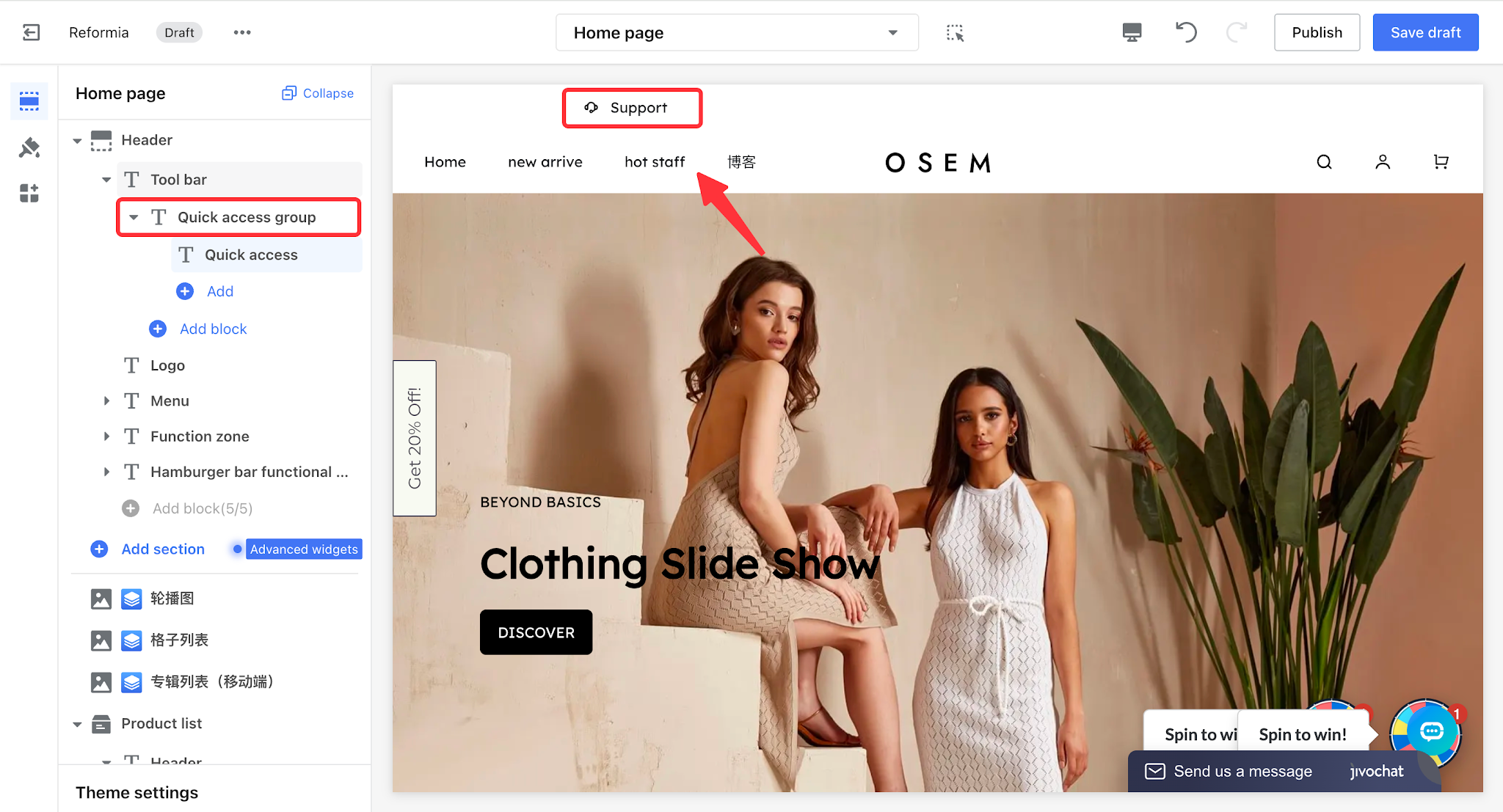
| Tool bar | Quick access group | Used to add quick access links to commonly used pages at the top of a website (such as store policies, customer service, etc.). It supports linking to custom pages, making it easier for customers to quickly access important information.
|
|
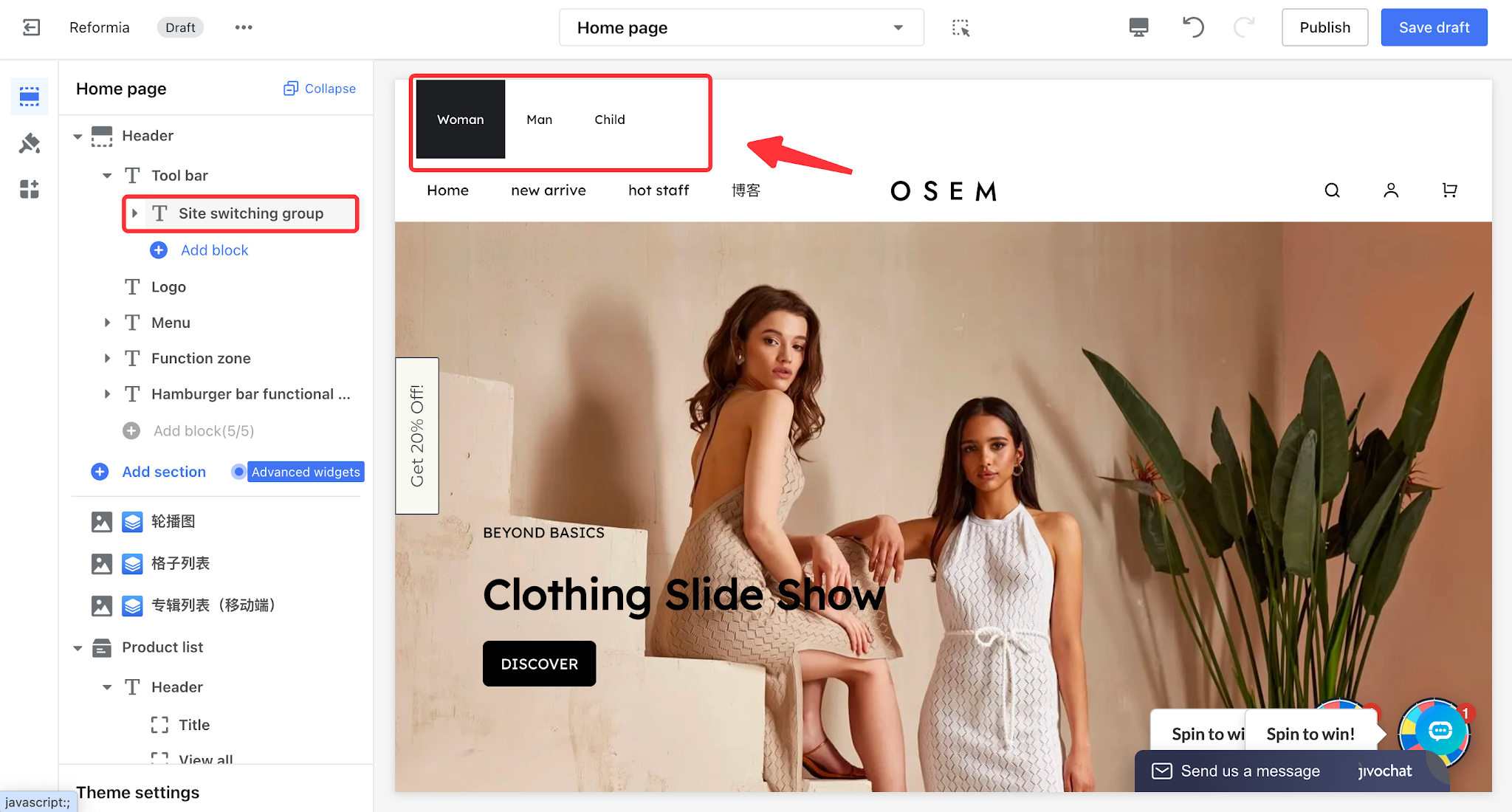
Site Switching group
| One-click switching between multiple sites, allowing customers to click a button to navigate to the corresponding page.
|
| |
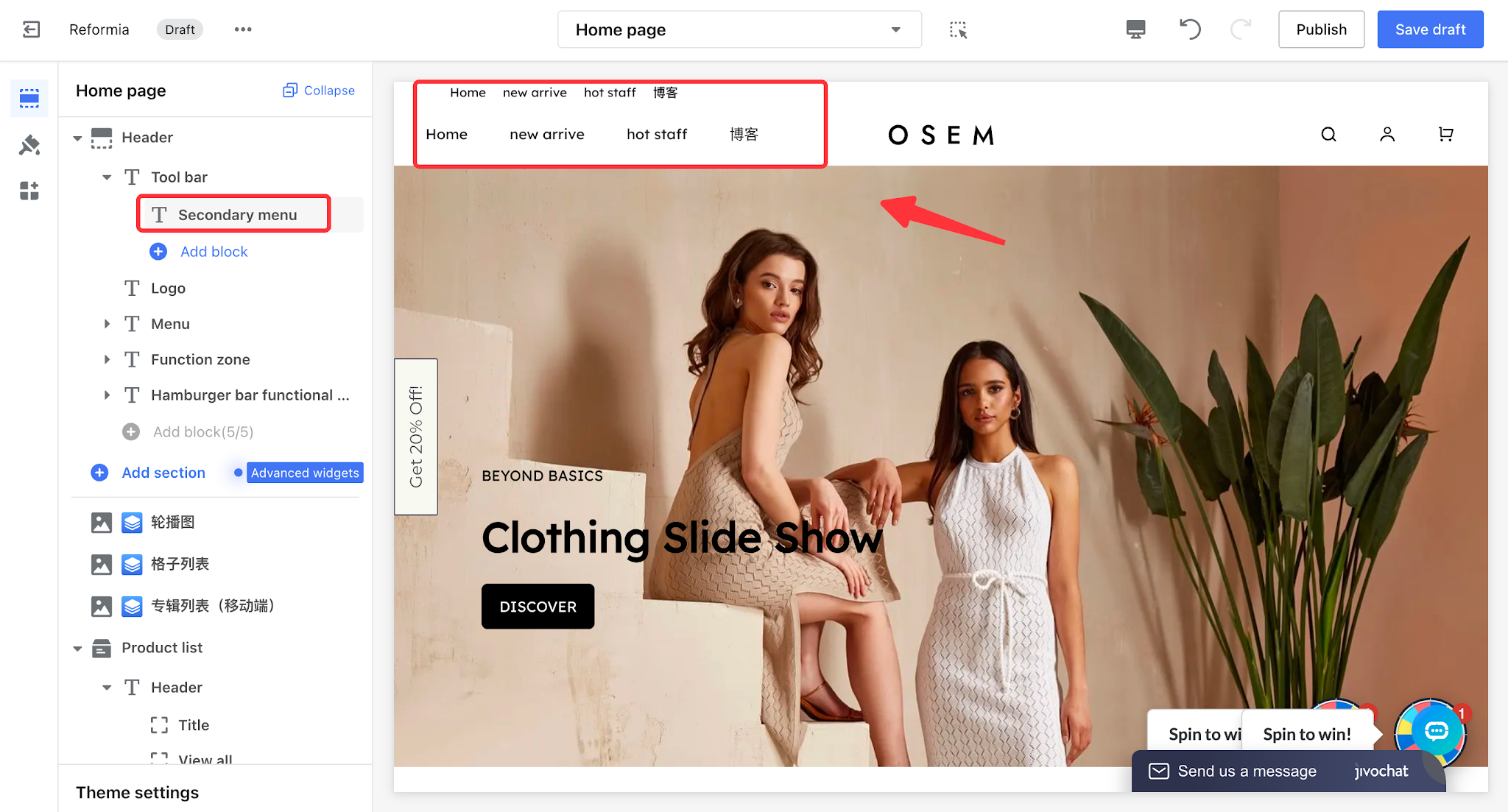
| Secondary menu | Primarily used as an entry point for store-related page navigation menus. It only displays first-level menu items and organizes functions into categories to make the structure clearer and more logical.
|
| |
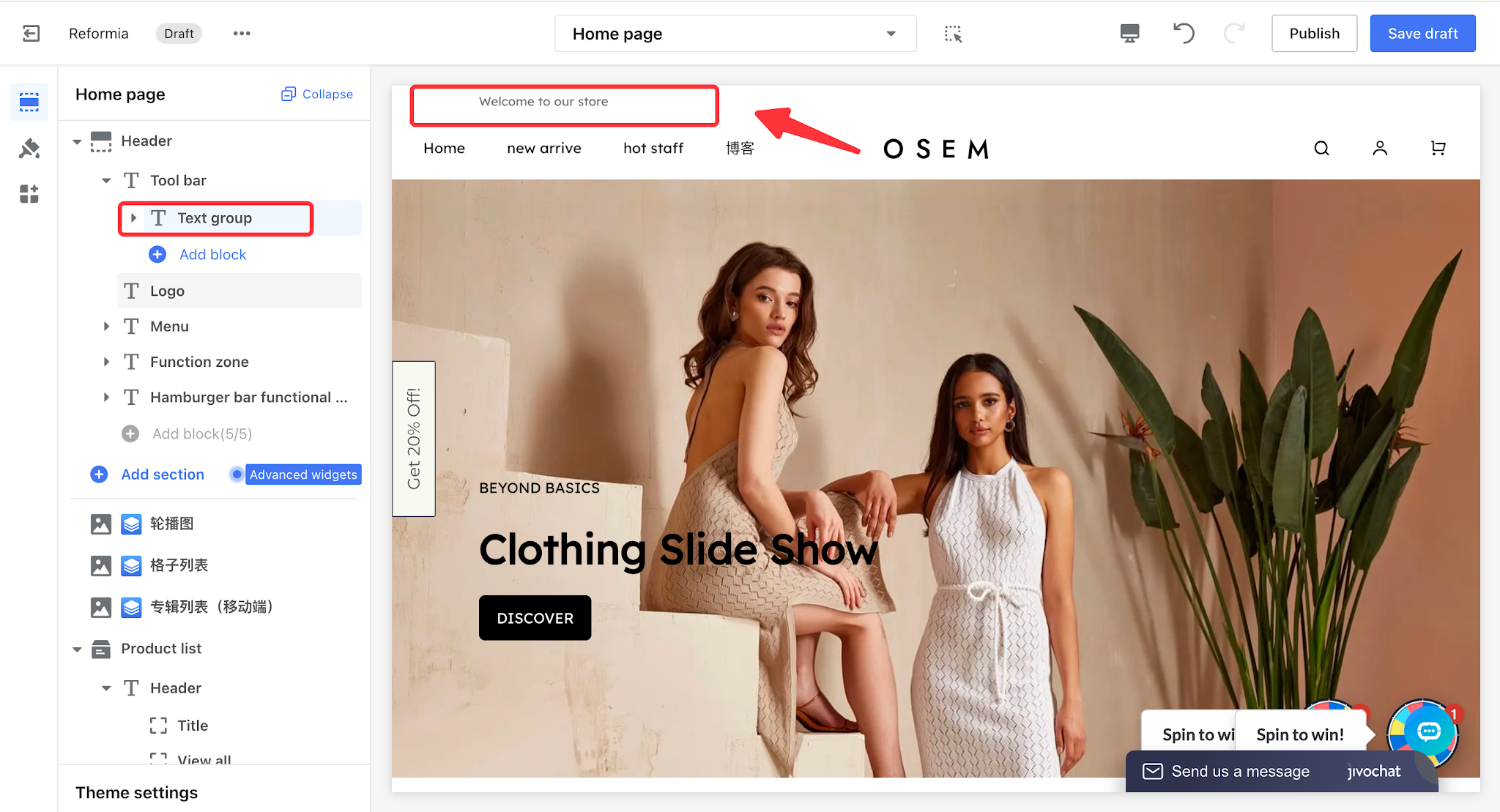
Text group
| The theme’s built-in announcement bar, used to display important messages and notify customers.
|
| |
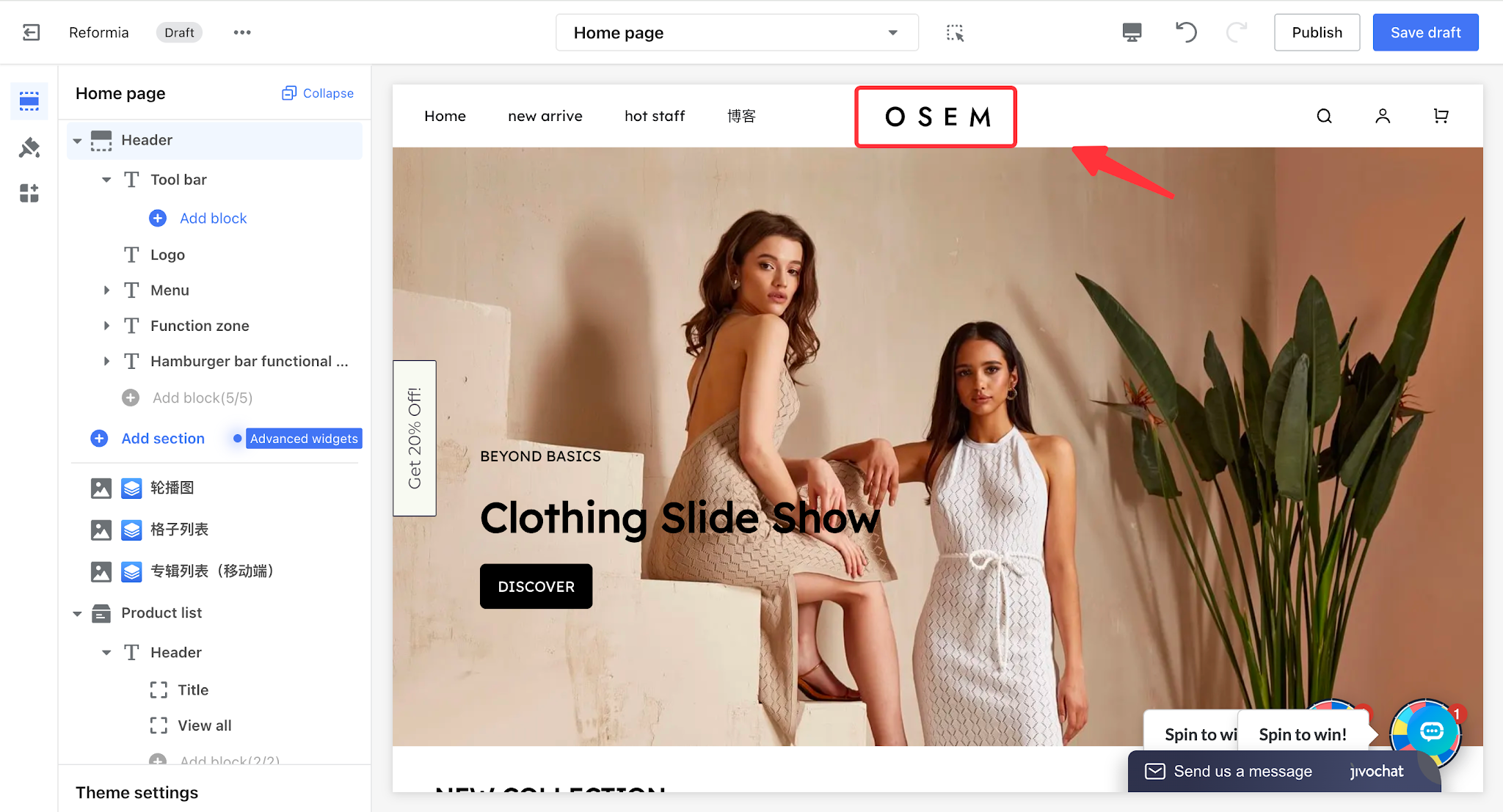
| Logo | Store brand identity
|
| |
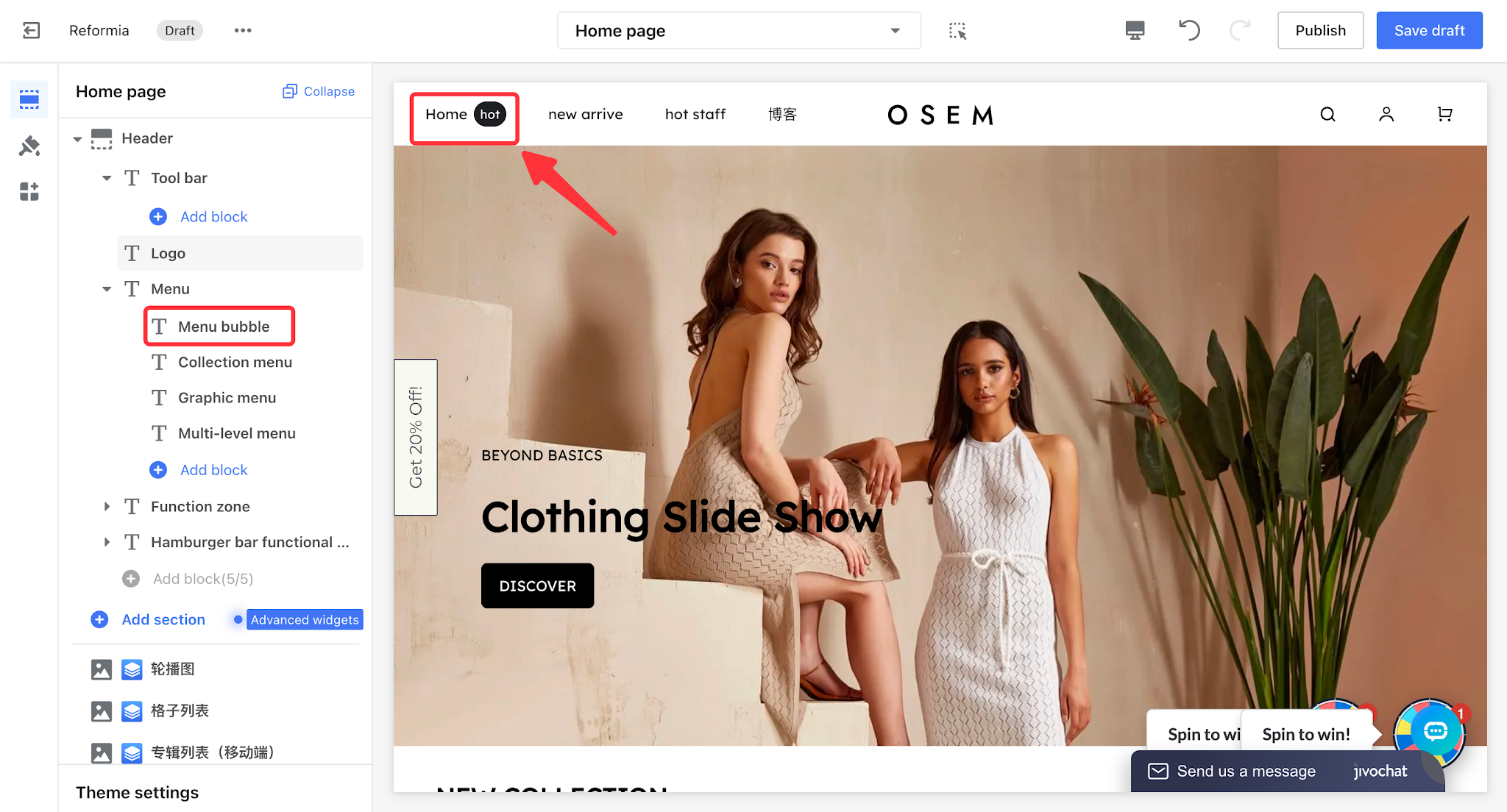
| Mune | Mune bubble
| You can add labels such as “Hot” and “New” as visual badges to highlight content, helping draw attention to key sections and increase click-through rates.
|
|
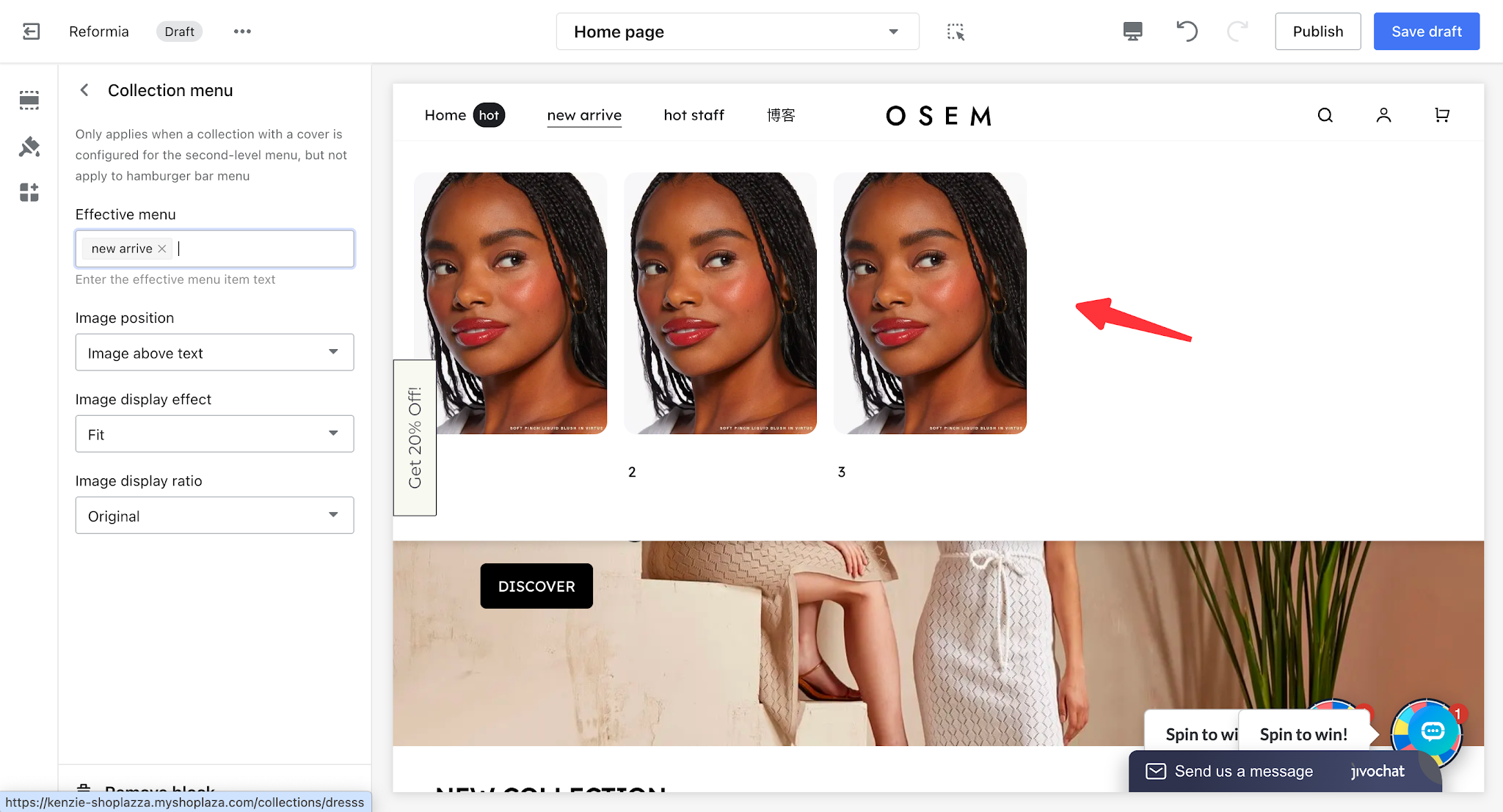
| Collection mune | Shorten the customer’s product discovery path and increase the exposure and conversion rate of the corresponding products.
|
| |
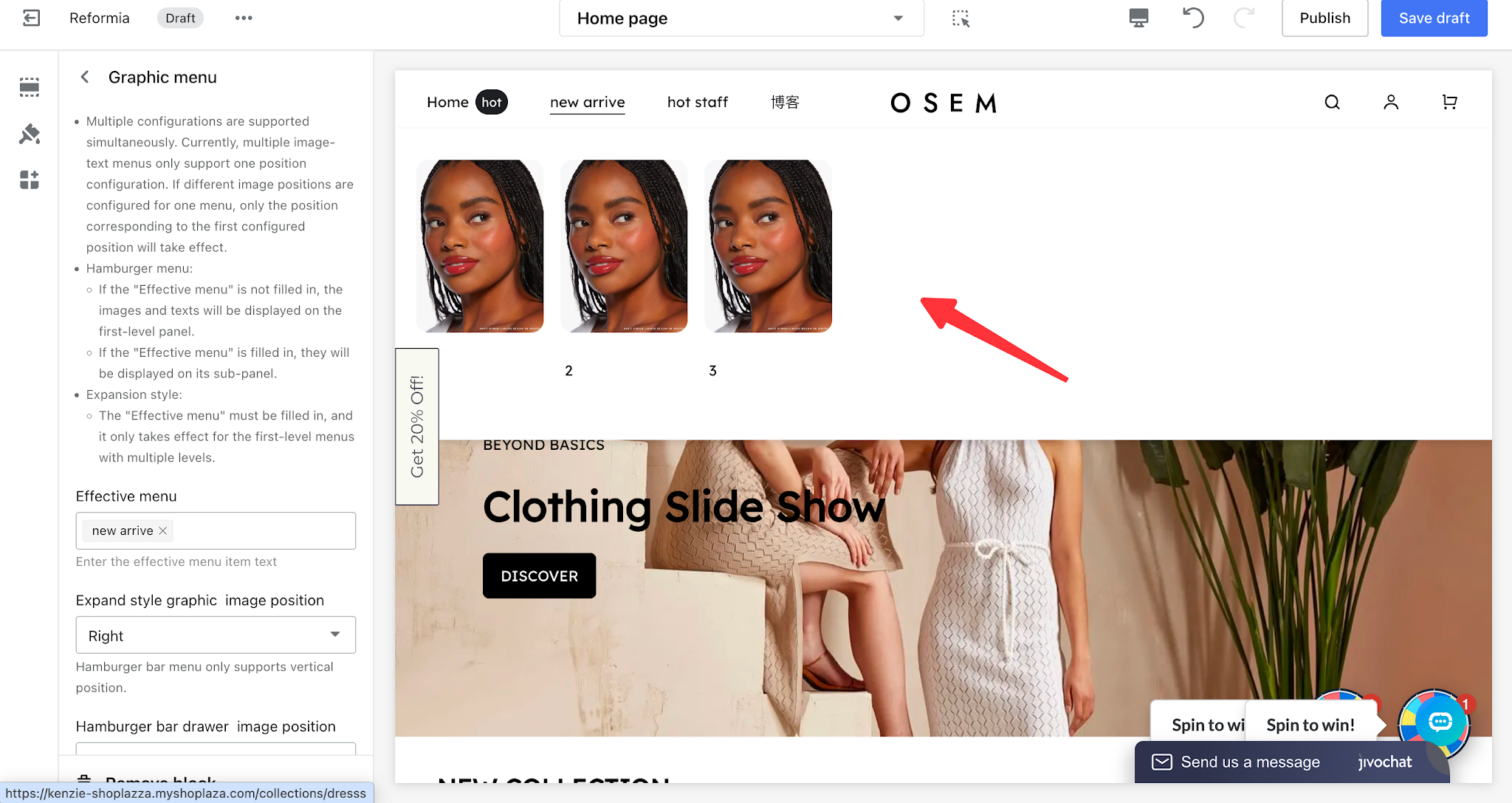
| Graphic menu | Enhance the brand’s visual experience and increase users’ willingness to click.
|
| |
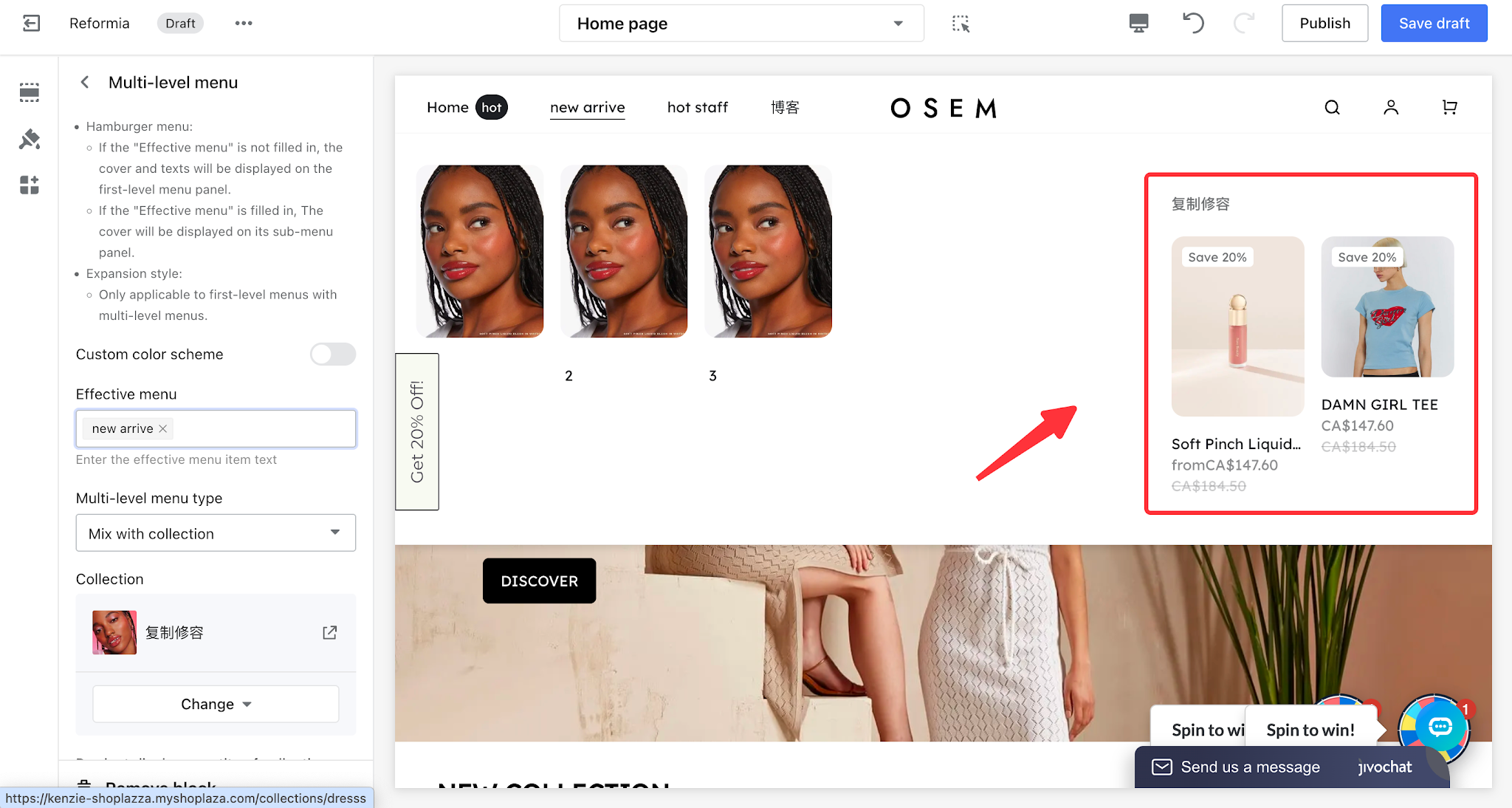
| Multi-level menu | Directly display store products and highlight marketing priorities.
|
| |
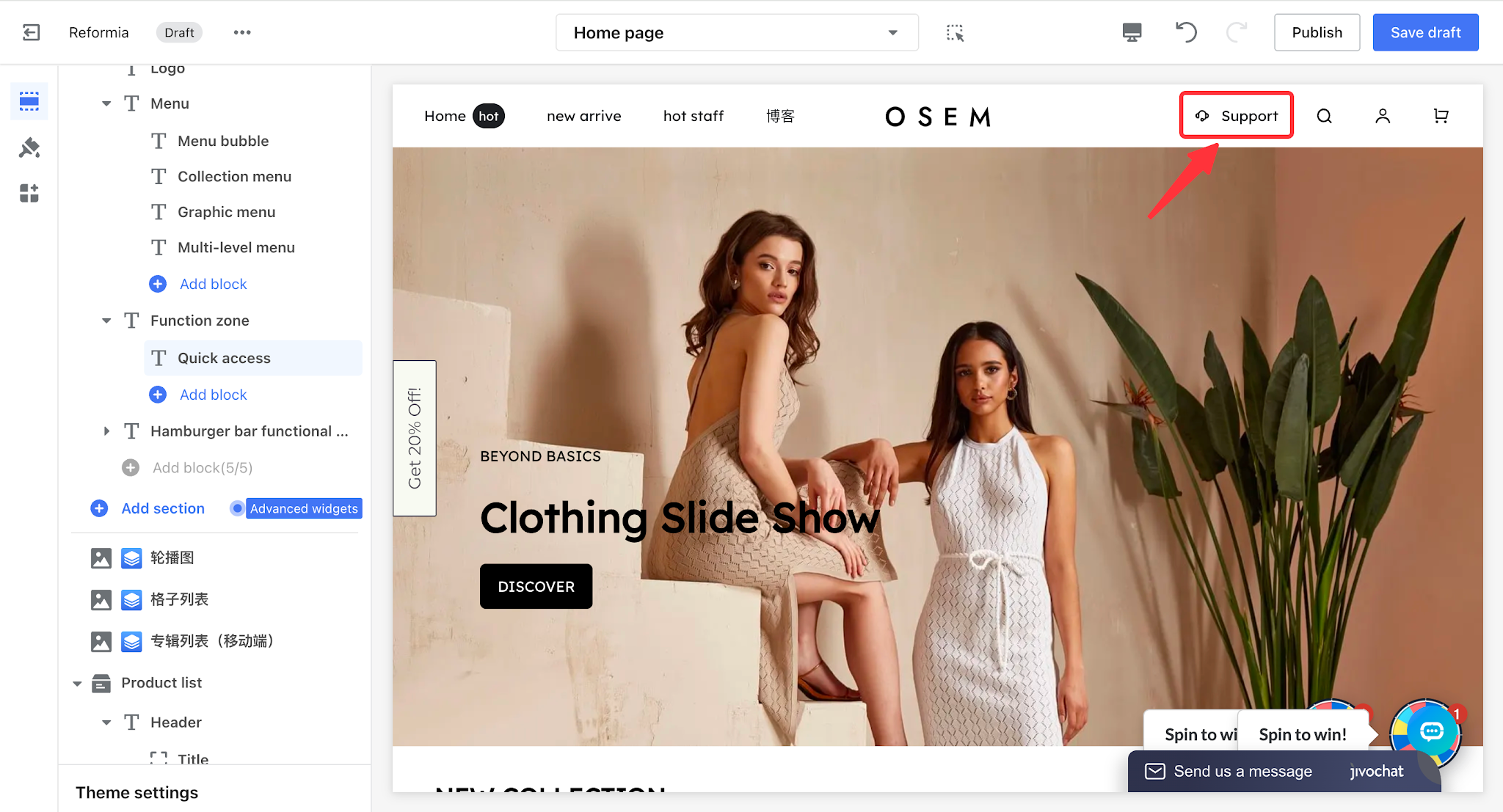
| Function zone | Quick access group | Supports display in the top-right corner of the store and can include a customer service entry point to improve service quality.
|
|
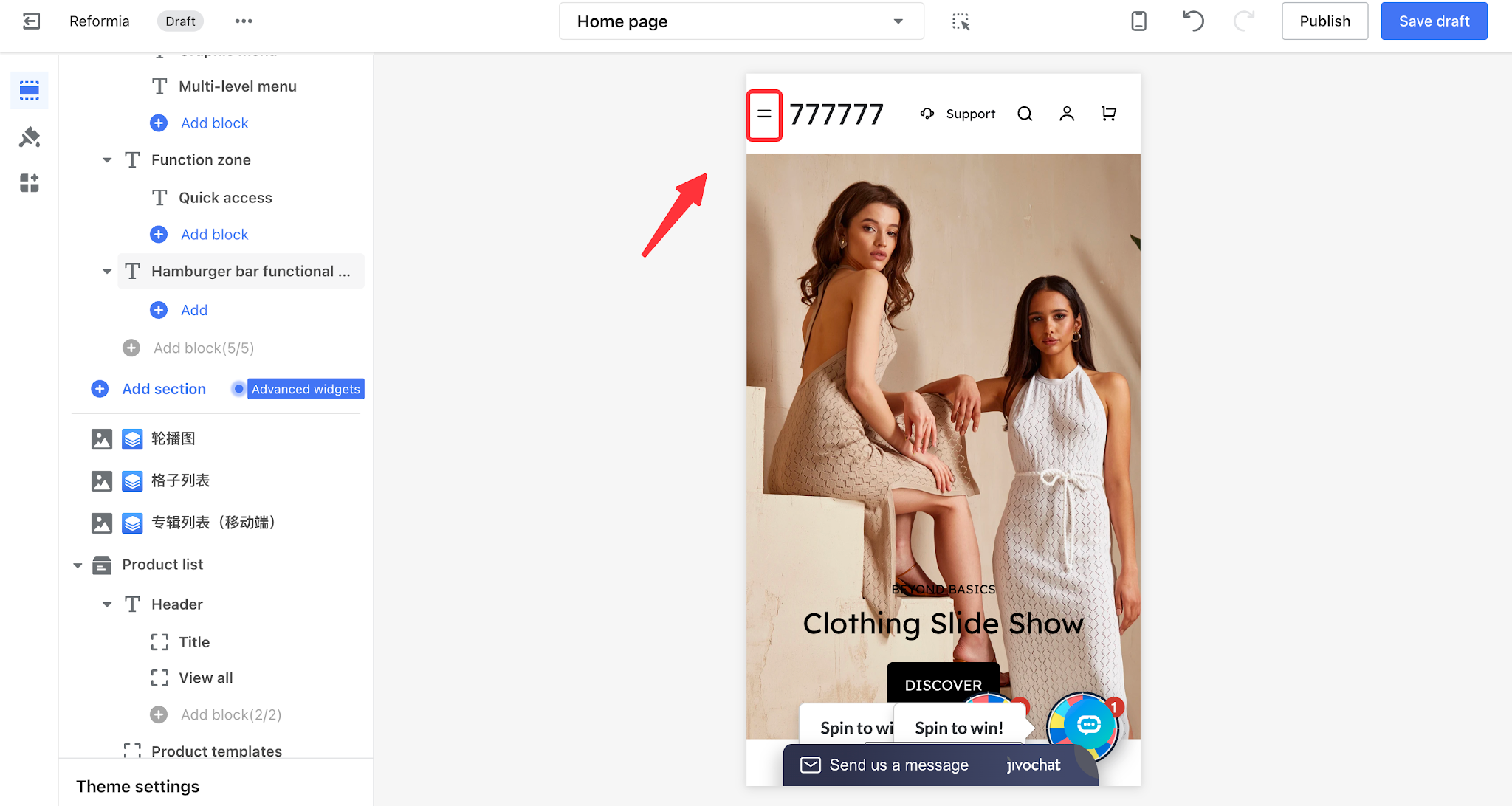
| Hamburger bar functional zone | A reserved hamburger menu area for functional plugins, allowing plugin cards to be added in this section.
|
|


Comments
Please sign in to leave a comment.