
The Transactions page provides a consolidated view of your virtual cards' authorization, settlement, card operation, and fund flow records, helping you track every card spending and account change for easy reconciliation and fee management.
Transaction Record Tabs
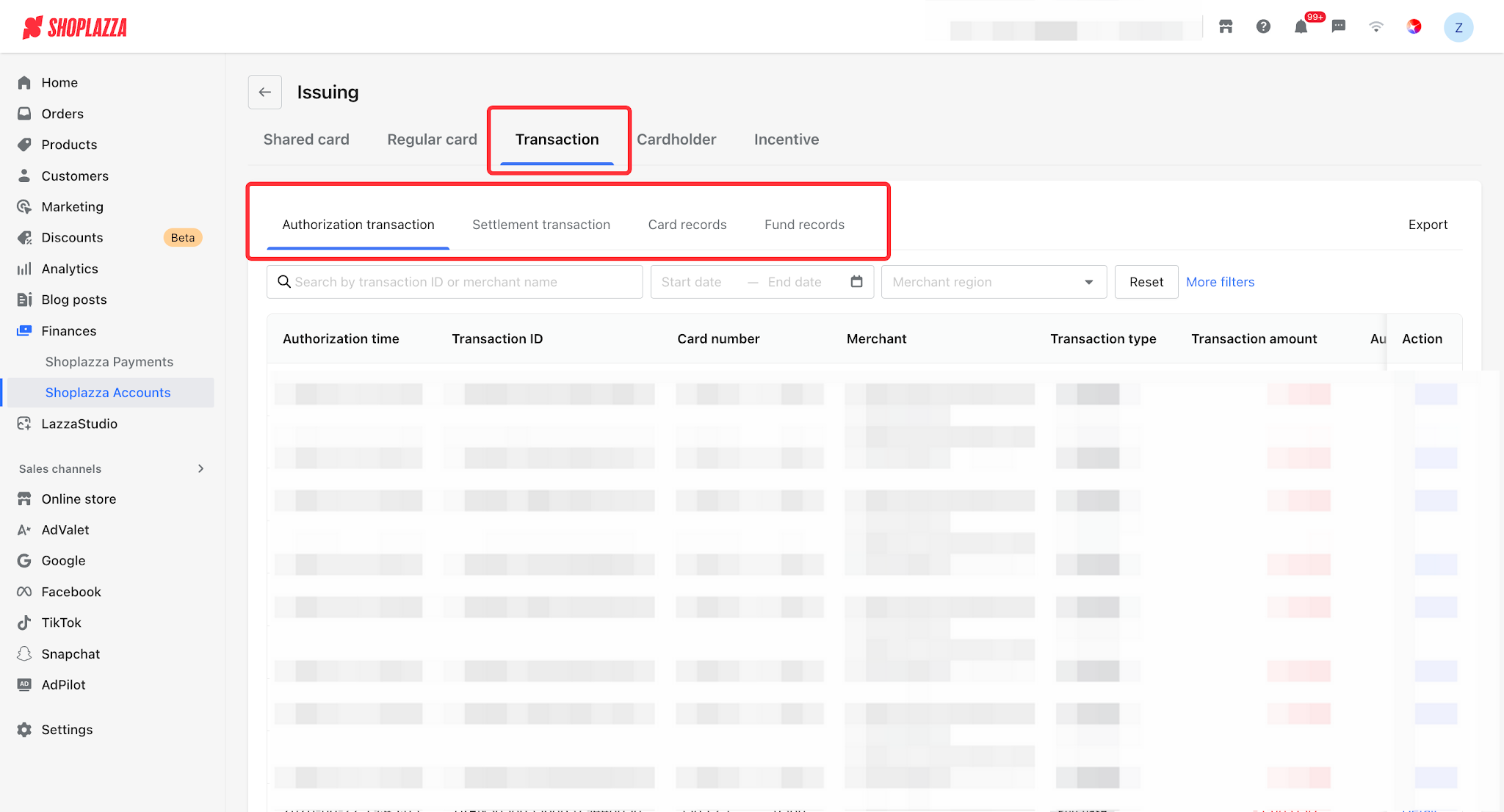
Go to Funds > Shoplazza Accounts > Issuing and click the Transactions tab, which contains four sub-tabs:
- Authorization transactions: records of authorizations that occur on a card (spending/refund/reversal/verification).
- Settlement transactions: records of settled transactions.
- Card records: logs of card operations such as card issuance, freezing, unfreezing, and card cancellation.
- Fund records: changes to Issuing account and card funds (spending, refund, reversal, fee, top-up, transfer in/out, etc.).
View Authorization Transactions
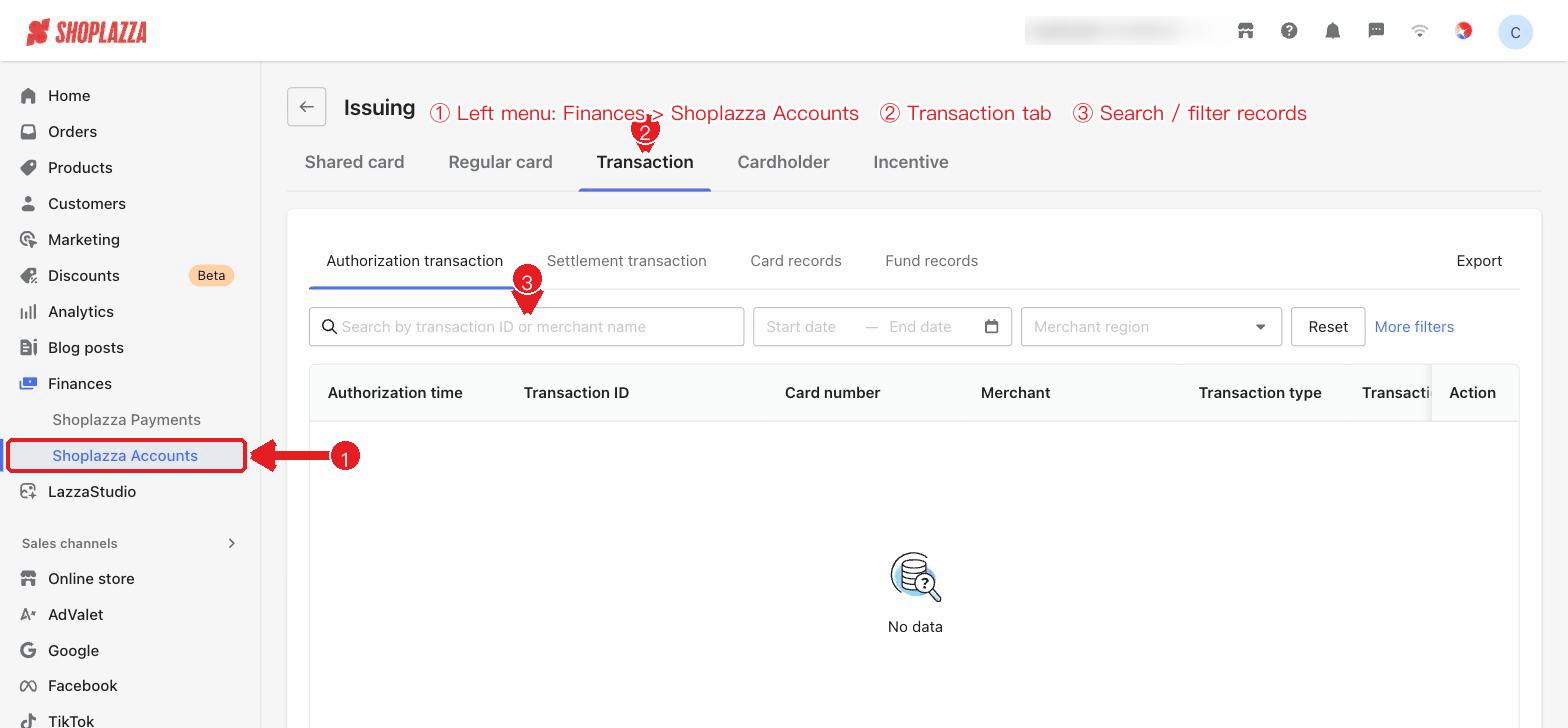
You can check authorization time, transaction ID, card number, merchant, transaction type, transaction amount, and action (Details). You can search by transaction ID or merchant name, filter by date and merchant region, use "More filters" to further filter by the last 4 digits of the card number, amount range, and more, and export the records.
| Transaction type | Description |
| Spending | A charge resulting from a card payment. |
| Refund | A merchant refund credited to the account. |
| Reversal | The authorization is reversed and the amount is released. |
| Verification | A verification performed by the merchant on the card. |
View Transaction Details
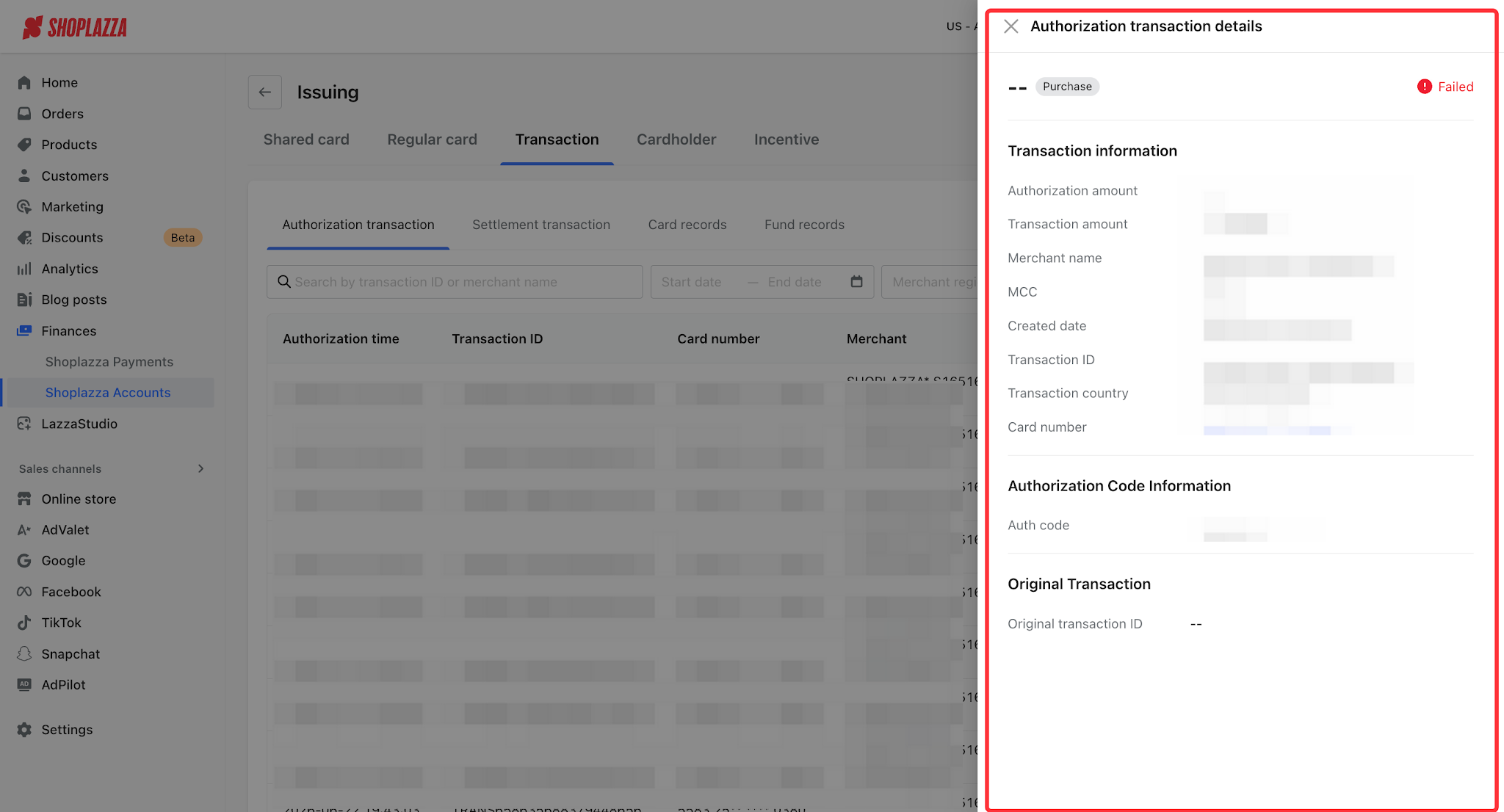
Click Details to view transaction information (authorization/transaction amount, merchant name and MCC, transaction country, creation time, card number), authorization code information, and related fee breakdowns.
Interface Operations and Button Descriptions
| Button / Control | Function |
| Authorization transactions / Settlement transactions / Card records / Fund records (sub-tabs) | Switch between the four transaction record views. |
| Search | Search by transaction ID or merchant name. |
| Date / Transaction type / Status (filters) | Filter by time, transaction type, and status. |
| More filters | Expand additional criteria: merchant region, last 4 digits of the card number, minimum/maximum amount. |
| Reset / Export | Clear filters / export the corresponding records (authorization/settlement/card records/fund records). |
| Details (row action) | Open the transaction details drawer to view transaction/authorization amount, merchant and MCC, authorization code, related fees, and more. |
| Rebate: Month / Status filter / Download | On the Rebate page, filter by month and status, and click "Download" to generate and download the rebate details. |


Comments
Please sign in to leave a comment.