
Seel Worry-Free Purchase is a package protection plugin that provides merchants with compensation services for lost or damaged shipments, as well as a consumer claim portal. By enabling a worry-free shopping experience for consumers, it helps merchants improve conversion rates and build customer trust. This article will guide you through how to configure the plugin in the Shoplazza admin panel.
Steps
1. Log in to your Shoplazza adminl, click Apps > Visit App Store, and search for Seel Worry-Free Purchase in the App Store to install the app.
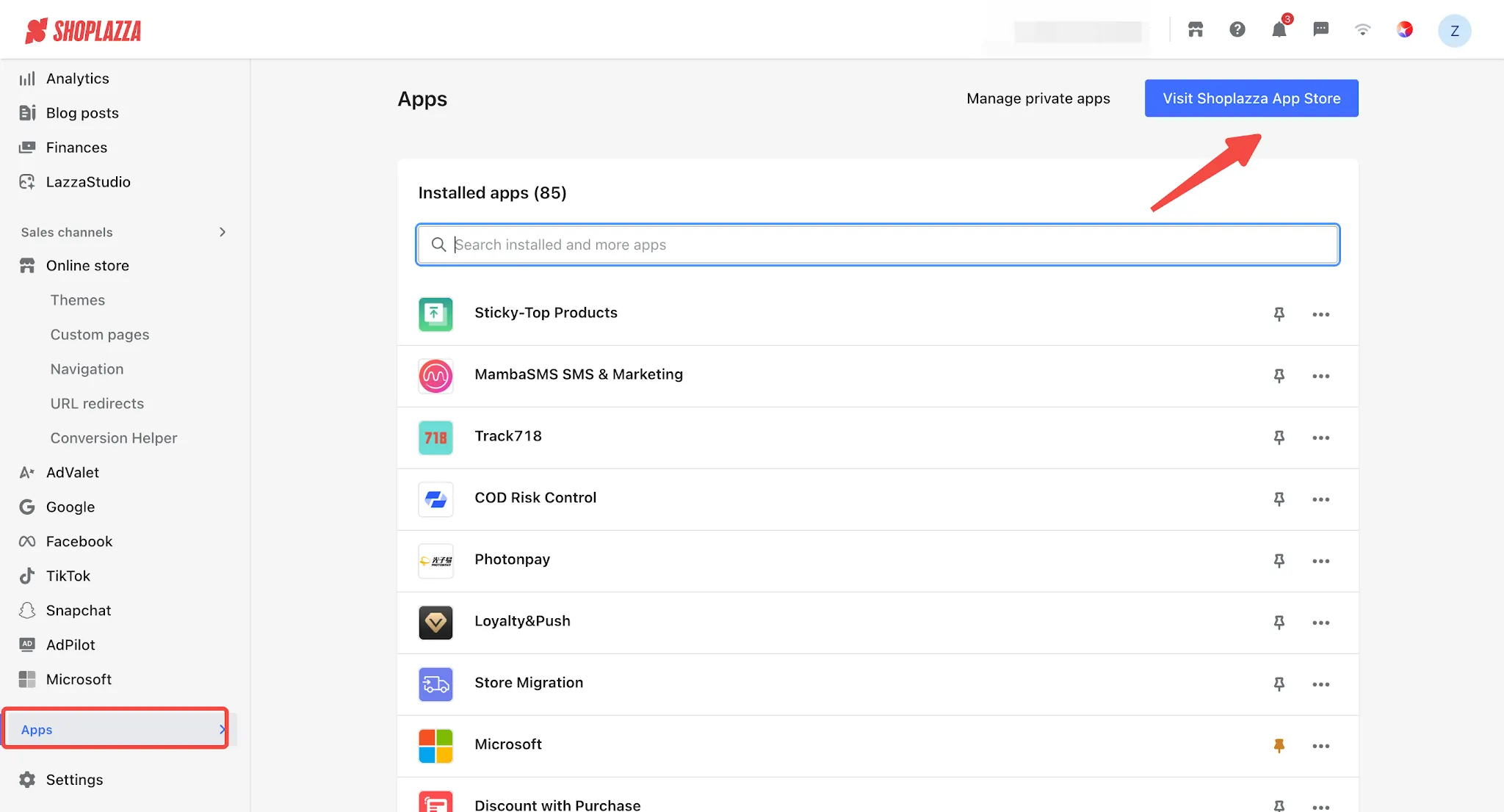
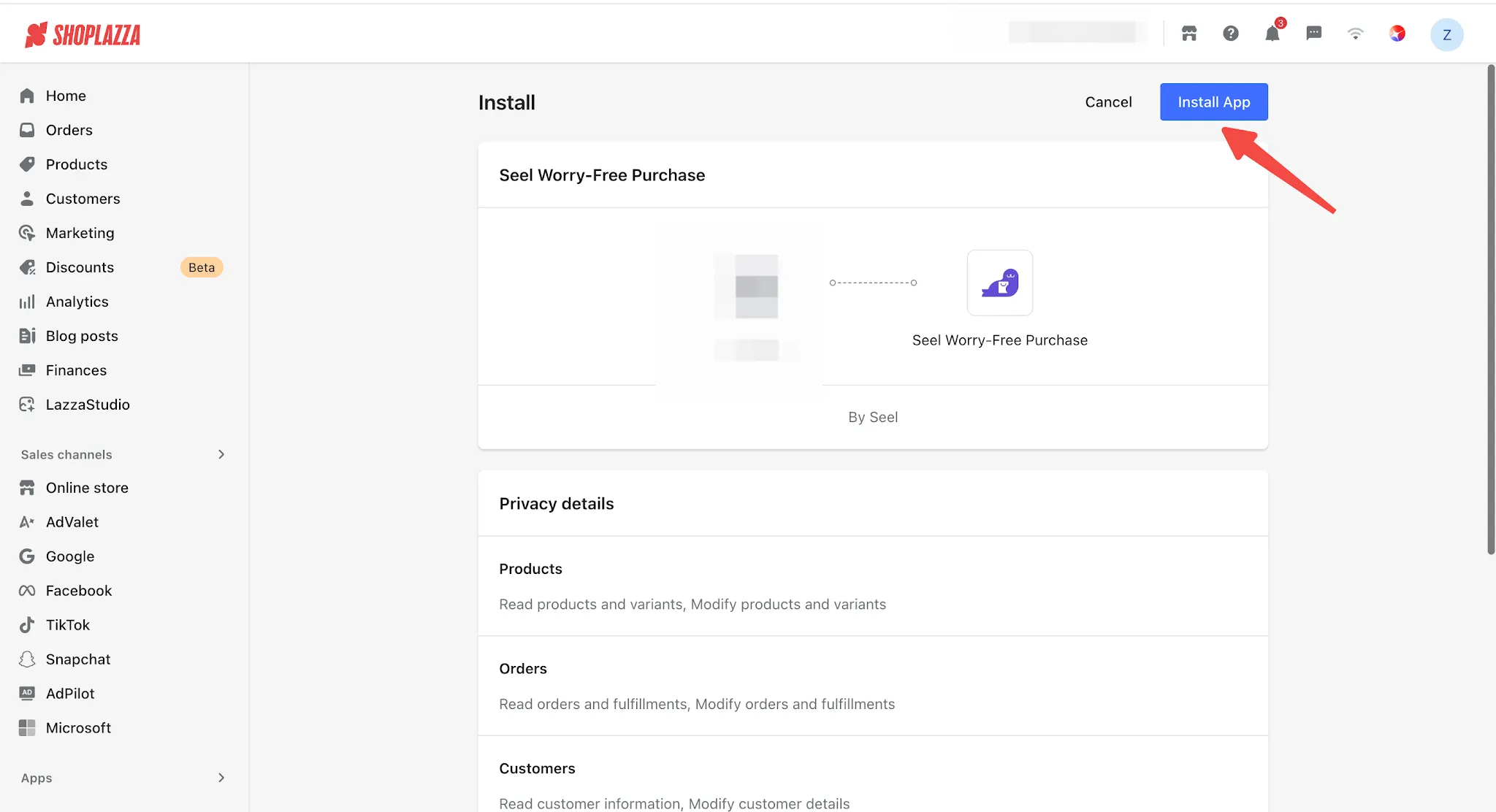
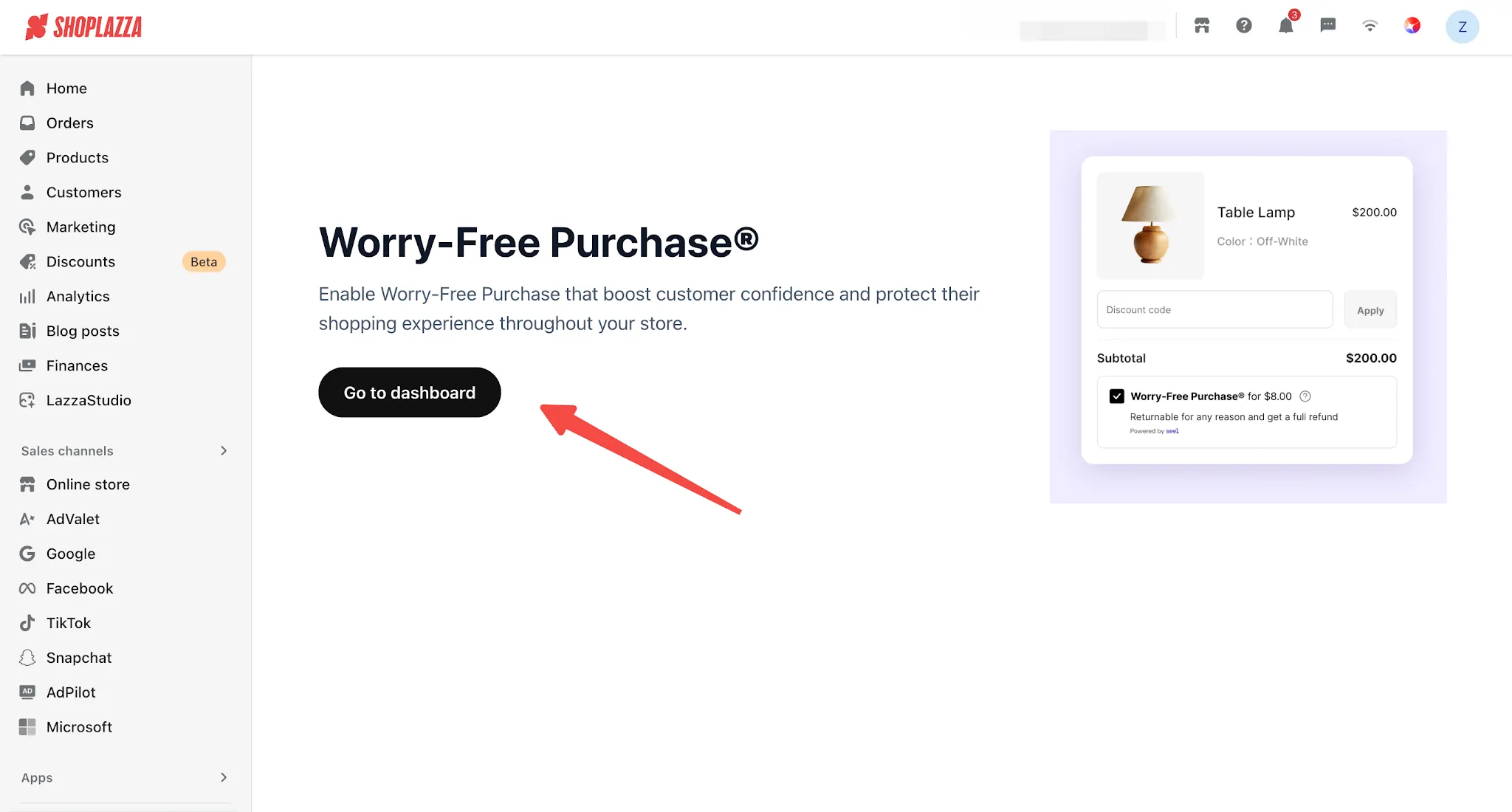
2. After installing the app, you will be redirected to the following page. Click Go to dashboard.
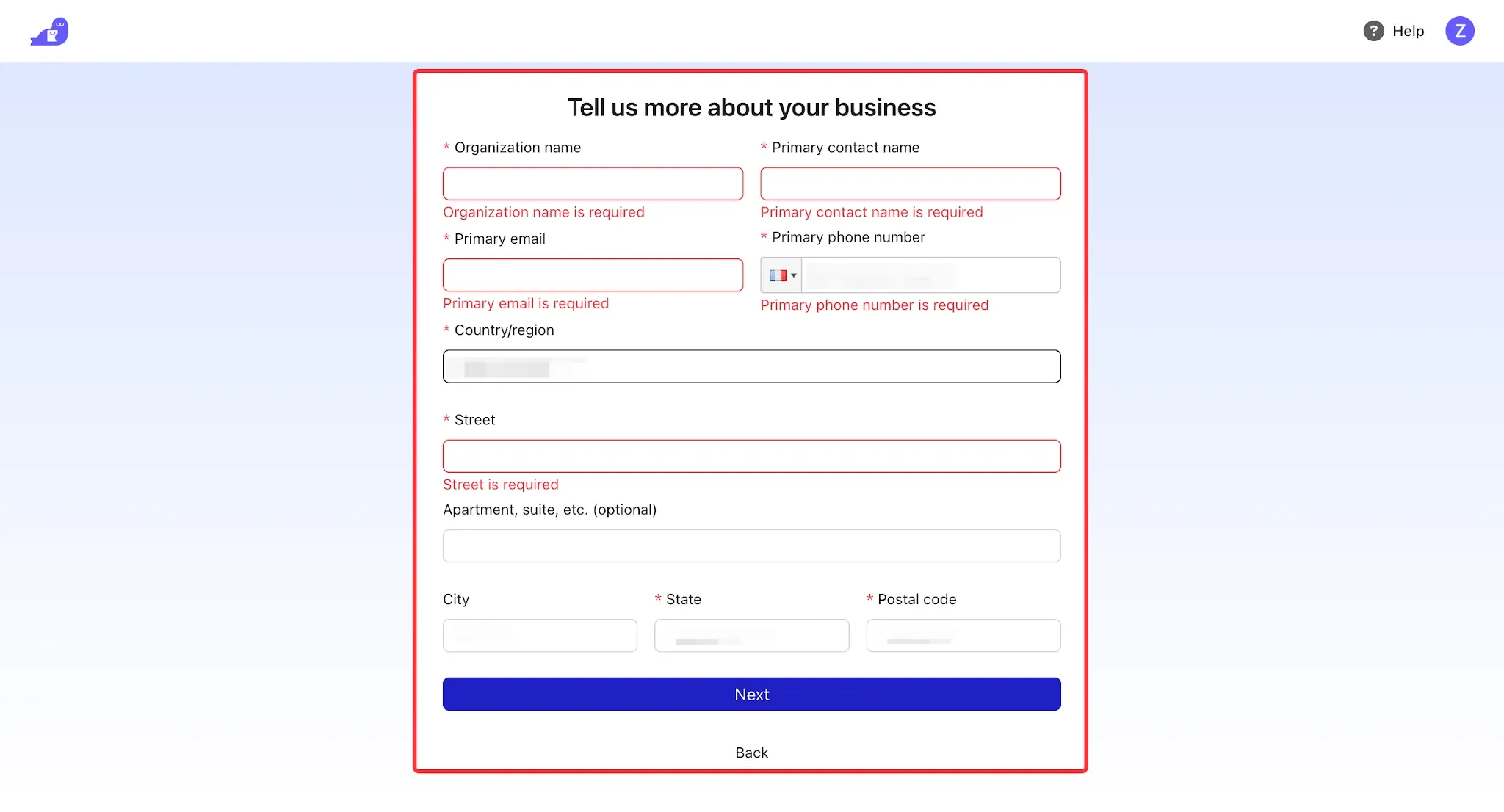
3. Follow the instructions on the page to complete the required information, then click Next to enter the Seel dashboard.
Note
- Currently, addresses from Mainland China are not supported.
- The information provided here will be used to generate invoices.
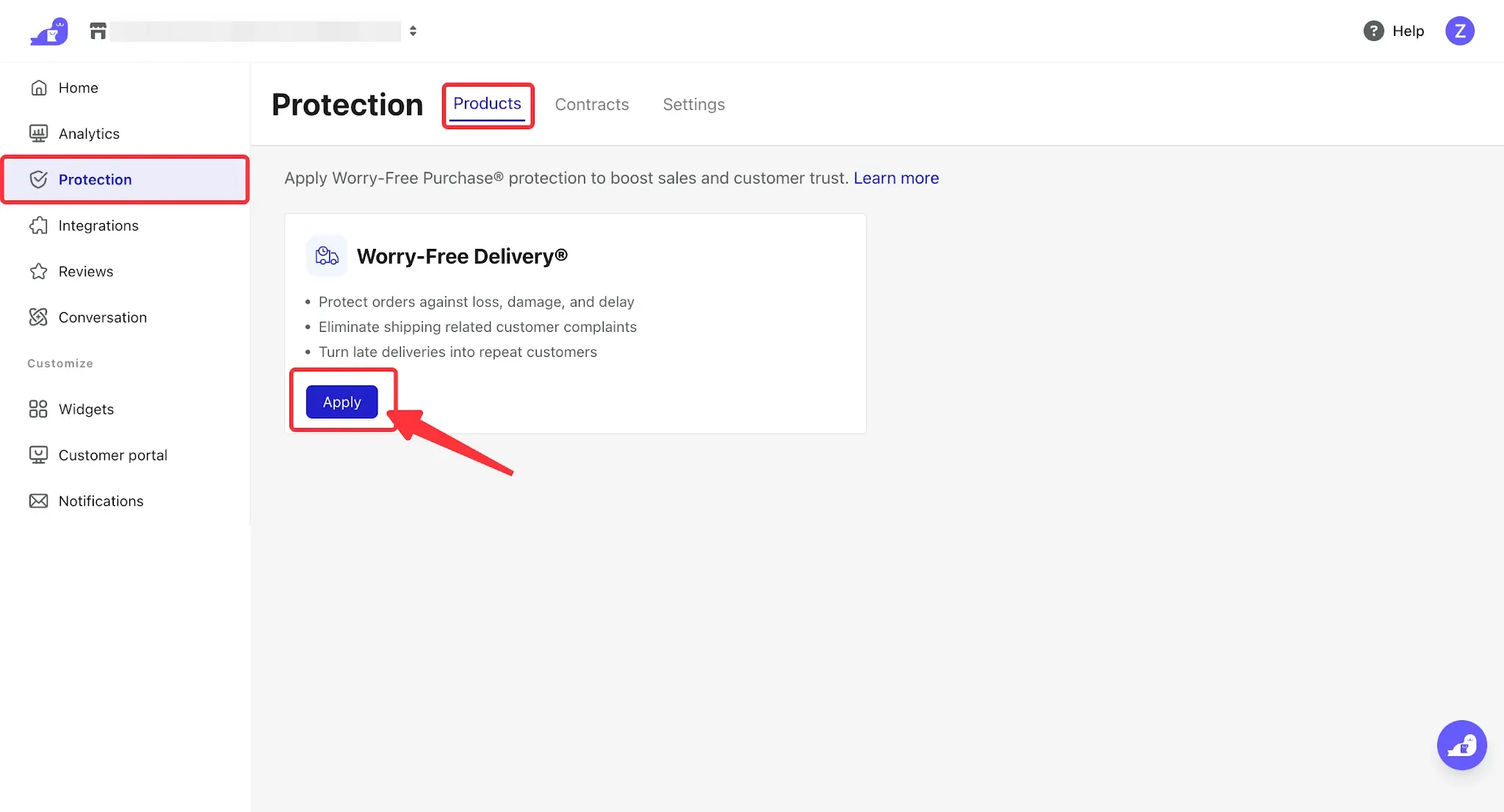
4. Enter the Seel dashboard, click Protection > Products, then click Apply to complete the application for the Seel service.
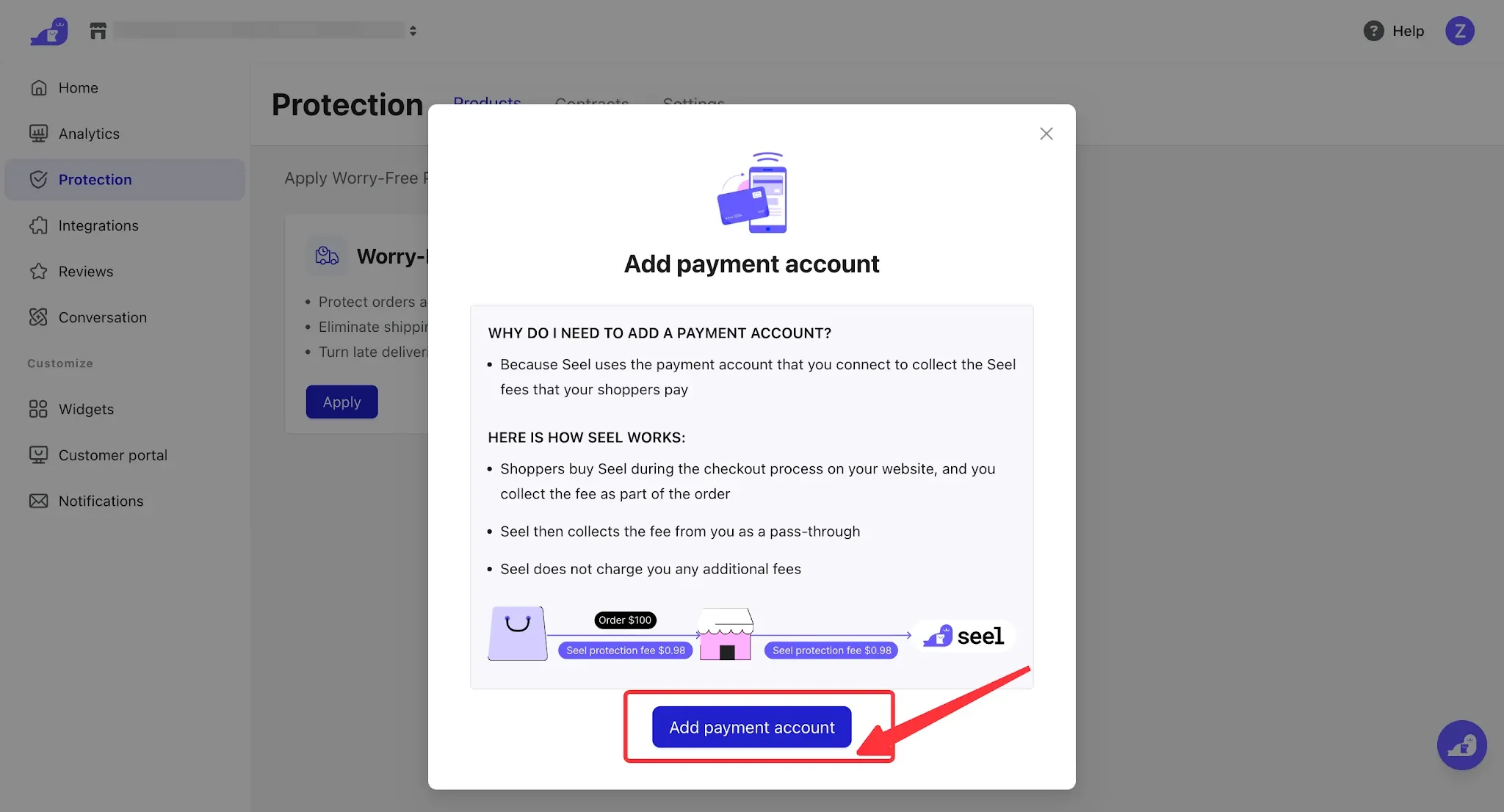
5. Upon the first login, you need to bind a bank card to connect your payment account and receive the Seel fees paid by customers.
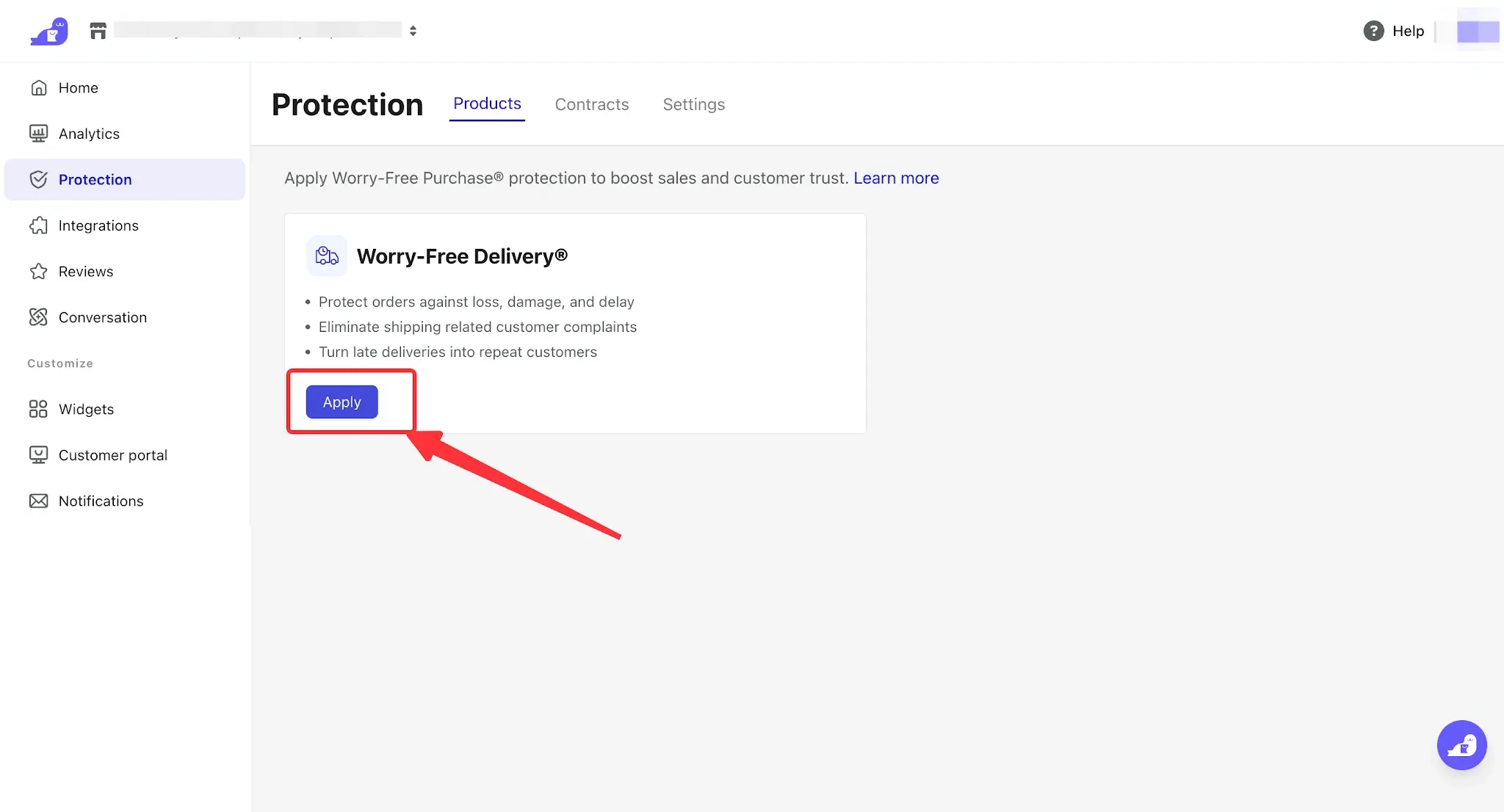
6. After the binding is completed, return to the Products page and click Apply again.
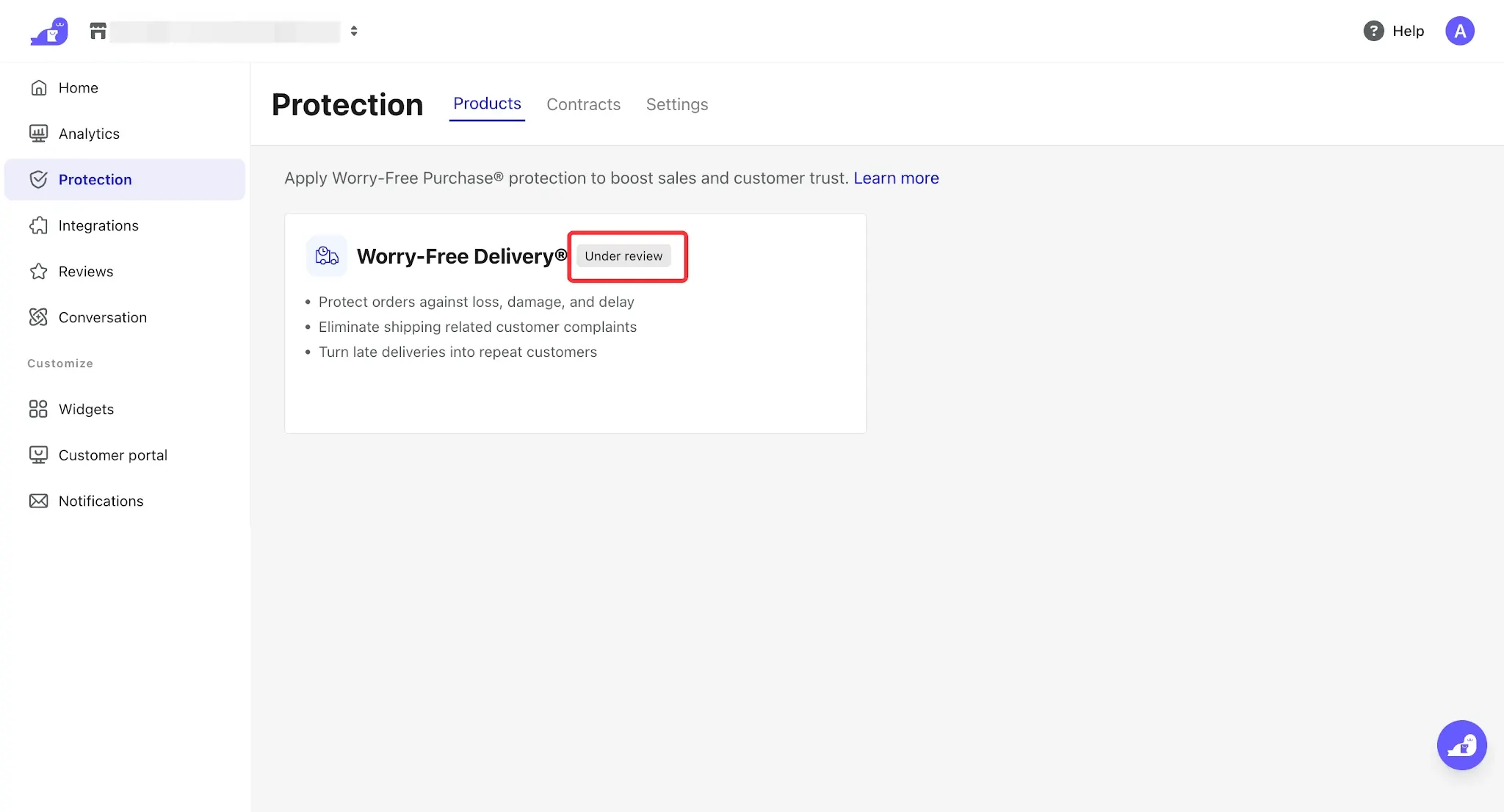
7. After submitting the application, the status will change to Under Review. The activation process will be completed by Seel, which usually takes 2–3 business days. If any issues occur, please contact customer support for assistance.

Comments
Please sign in to leave a comment.