
How to Change Account Password
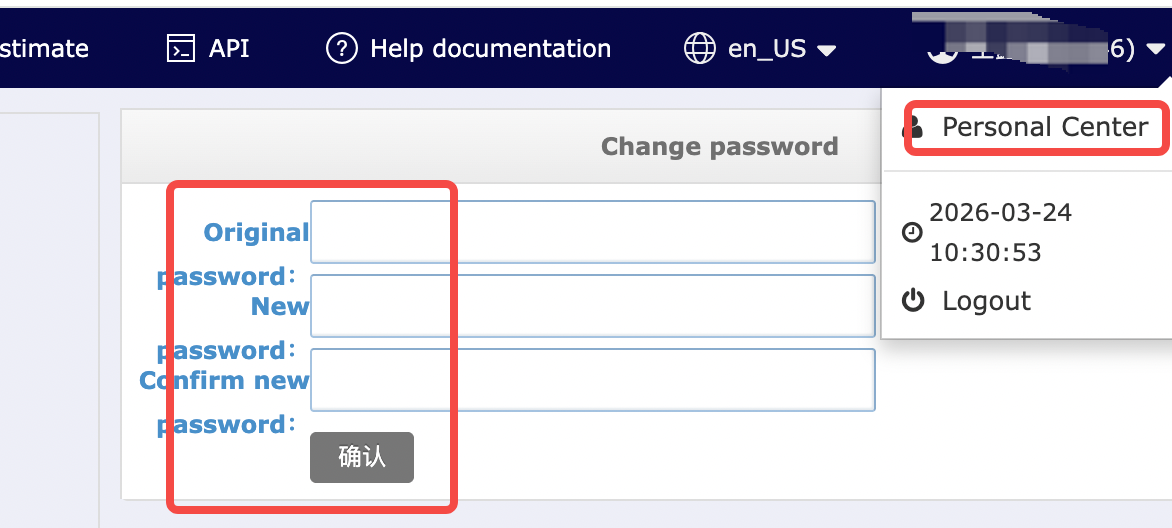
1. Log in to the Warehouse & Logistics System and click on Personal Center in the top-right corner.
2. Enter your Original password and new password, then click Confirm.
How to Create a Sub-Account
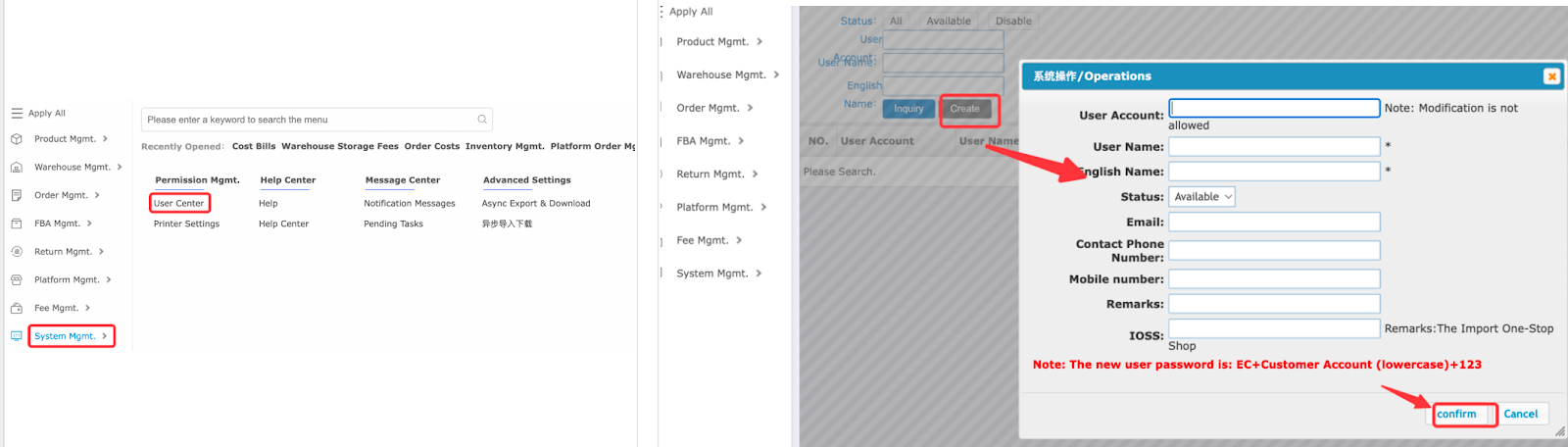
1. Log in to the Warehouse & Logistics System and click on System Mgmt in the menu bar.
2. Click User Center.
3. Click Create.
4. Fill in the sub-account user information and click Confirm.
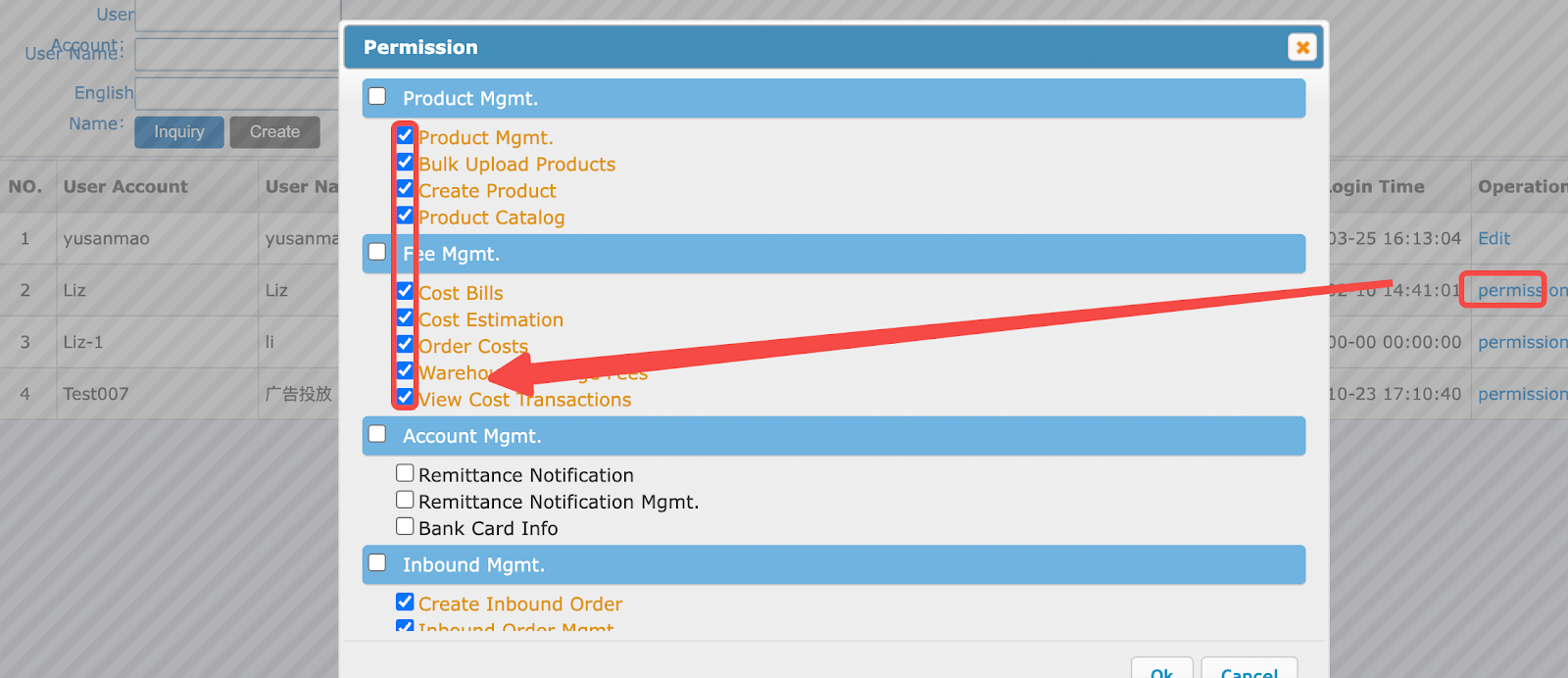
5. Click Permission and select the required permissions for the sub-account.
Illustration:
Note
A single account can create multiple sub-accounts with no limit on the number.


Comments
Please sign in to leave a comment.