
The system provides the capability to view fees incurred at each stage, enabling customers to monitor their account balance and transaction history in a clear and transparent manner.
How to Check Order Fees
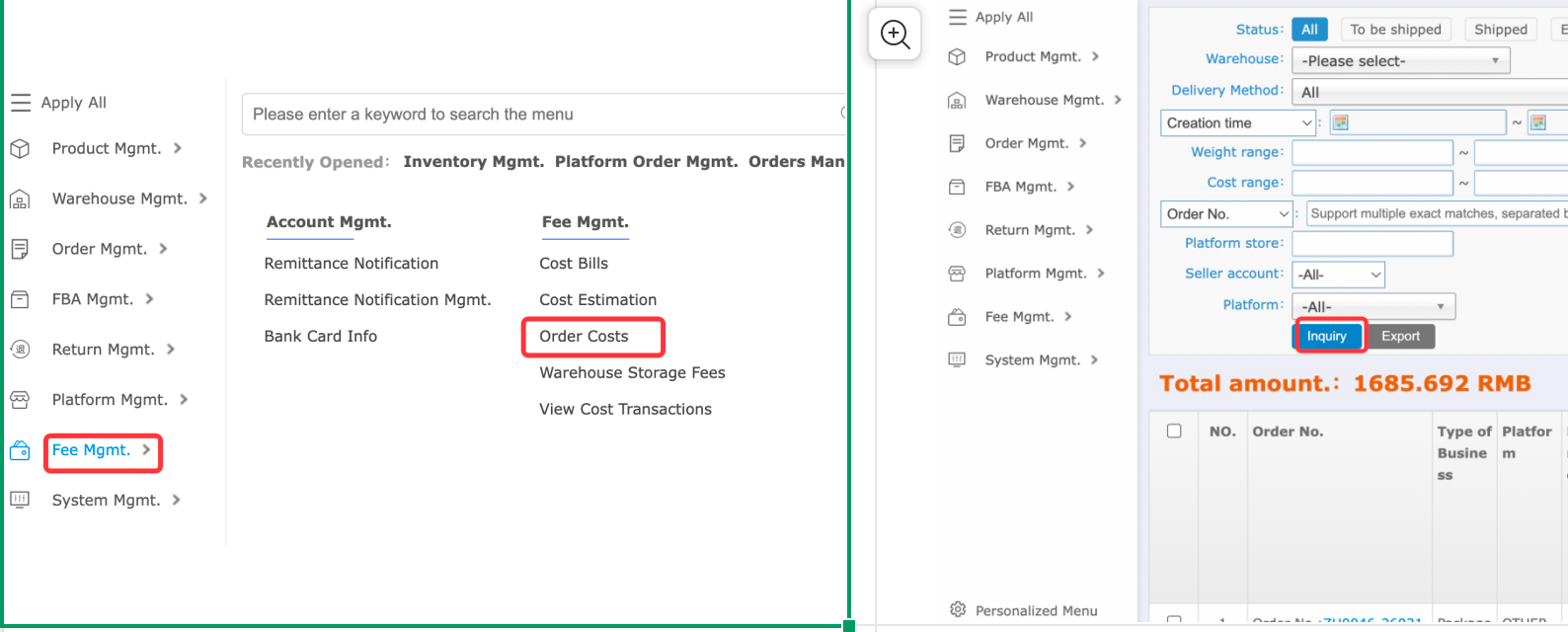
1. Log in to the Warehouse & Logistics System and click on Fee Mgmt in the menu bar.
2. Click Order Costs.
3. Enter the order number and click inquiry.
Illustration:
How to View Transaction History
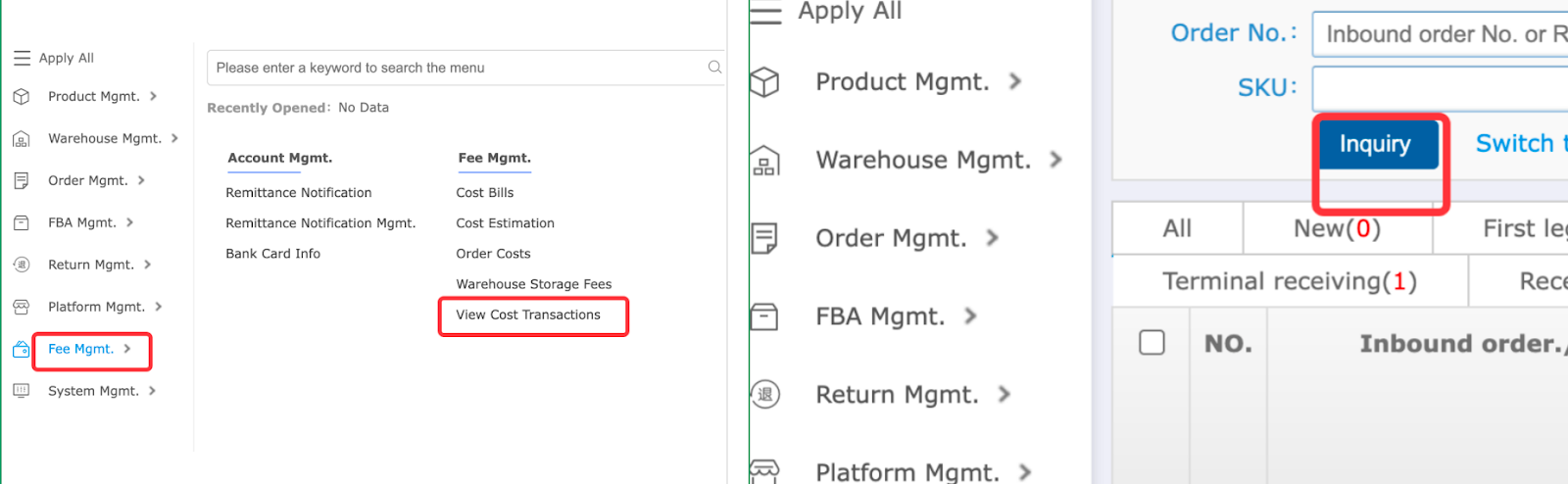
1. Log in to the Warehouse & Logistics System and click on Fee Mgmt in the menu bar.
2. Click View Cost transactions.
Illustration:
How to View Warehouse Rental Fee Details
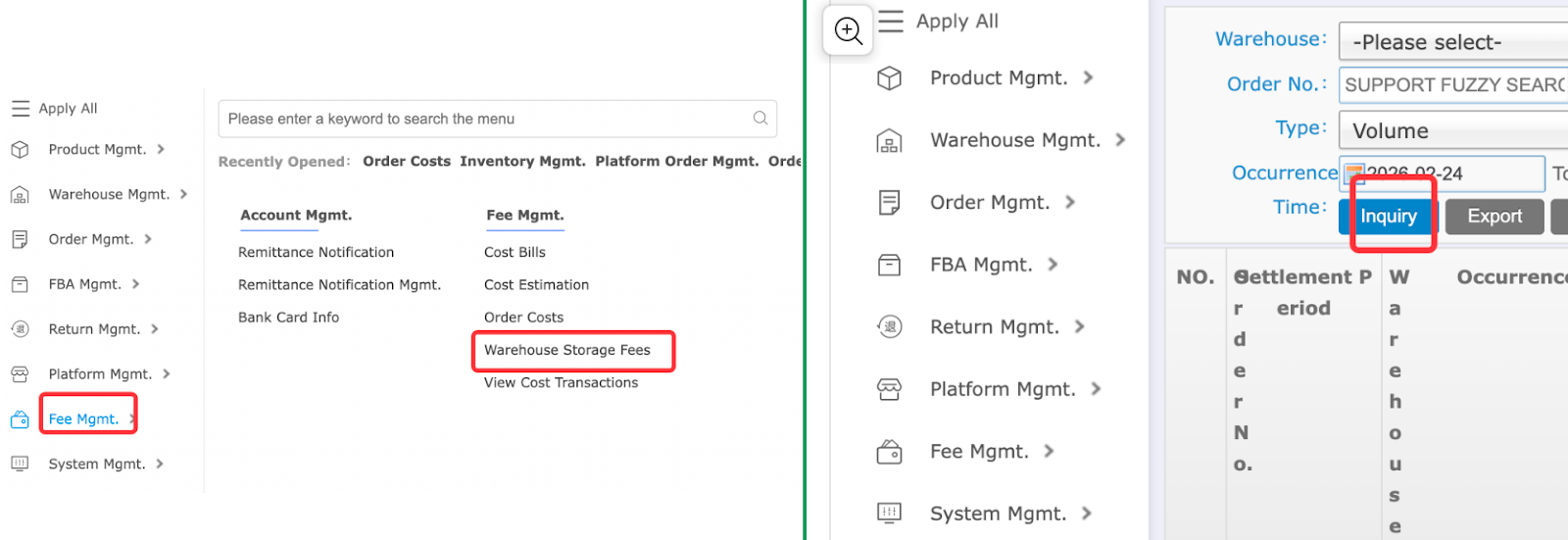
1. Log in to the Warehouse & Logistics System and click on Fee Mgmt in the menu bar.
2. Click Warehouse Storage Fees.
Illustration:
How to View Bills
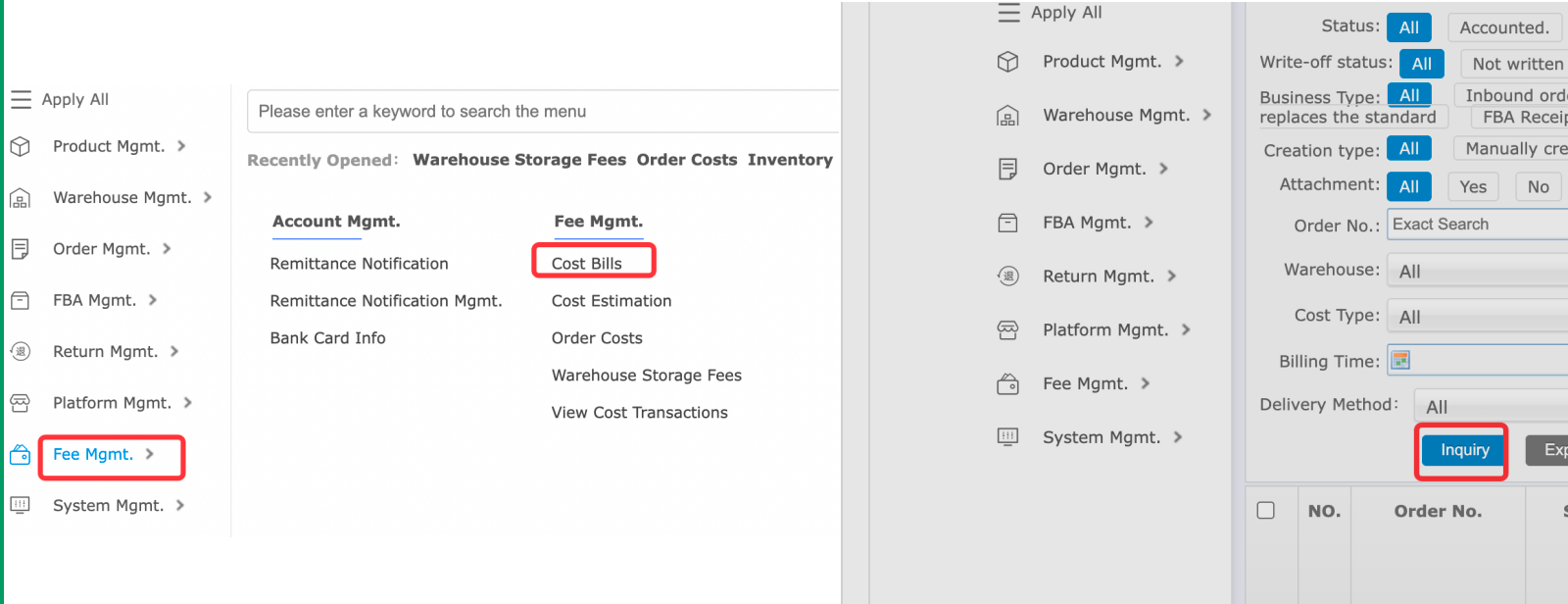
1. Log in to the Warehouse & Logistics System and click on Fee Mgmt in the menu bar.
2. Click Cost Bills.
Illustration:


Comments
Please sign in to leave a comment.