
Inventory, Sales and Stock Management (abbreviated as ISS) refers to the systematic and process-oriented management and control of the three core areas: Procurement (incoming stock), Sales (outgoing stock), and Inventory (warehouse storage). Its objective is to ensure efficient flow of materials and capital, while minimizing costs and maximizing operational efficiency.
How to Create a Stock-In (Inbound) Order
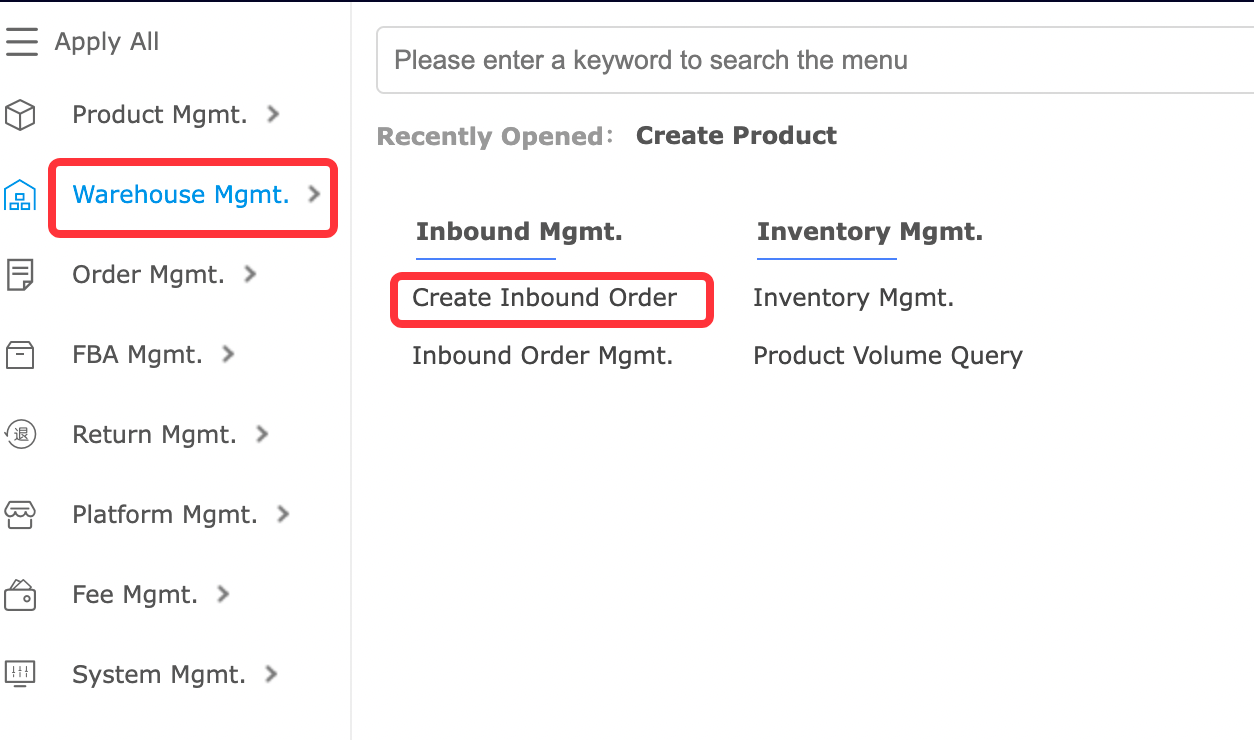
1. Log in to the Warehouse & Logistics System and click on Warehouse Mgmt in the menu bar.
2. Click Create Inbound Order.
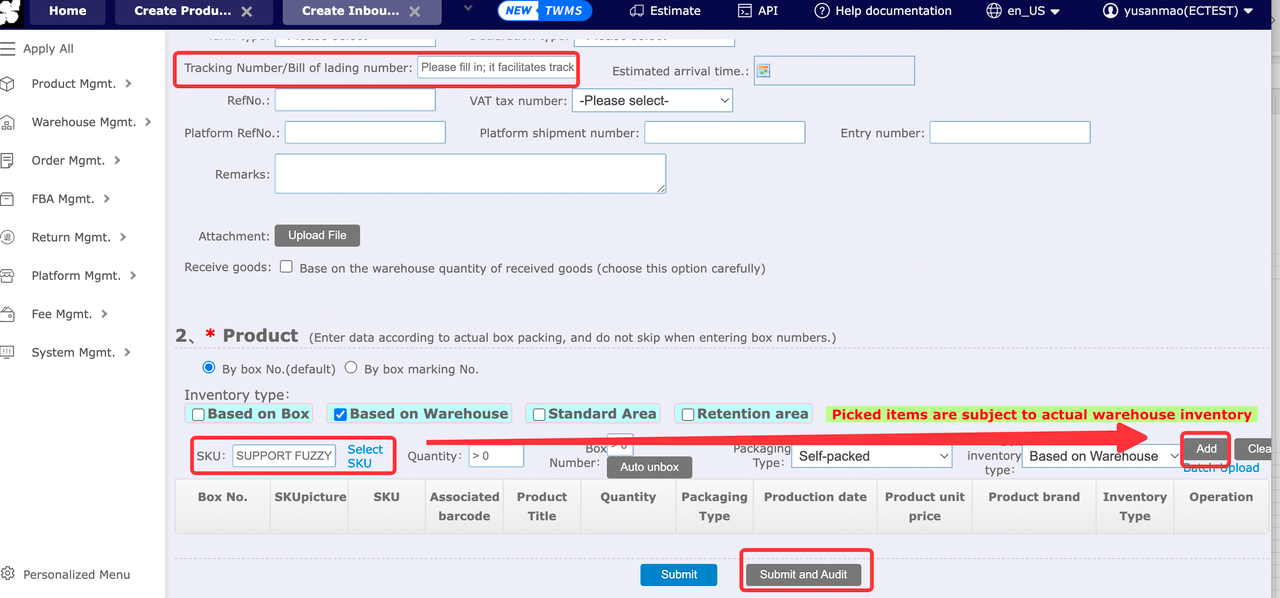
3. Fill in the tracking number and expected arrival date.
4. Select the product SKU(s) to be stocked in and enter the corresponding quantity.
5. Click Submit and then Aduit.
Illustration:
How to Create an Order
Method 1: Manual Single Order Creation
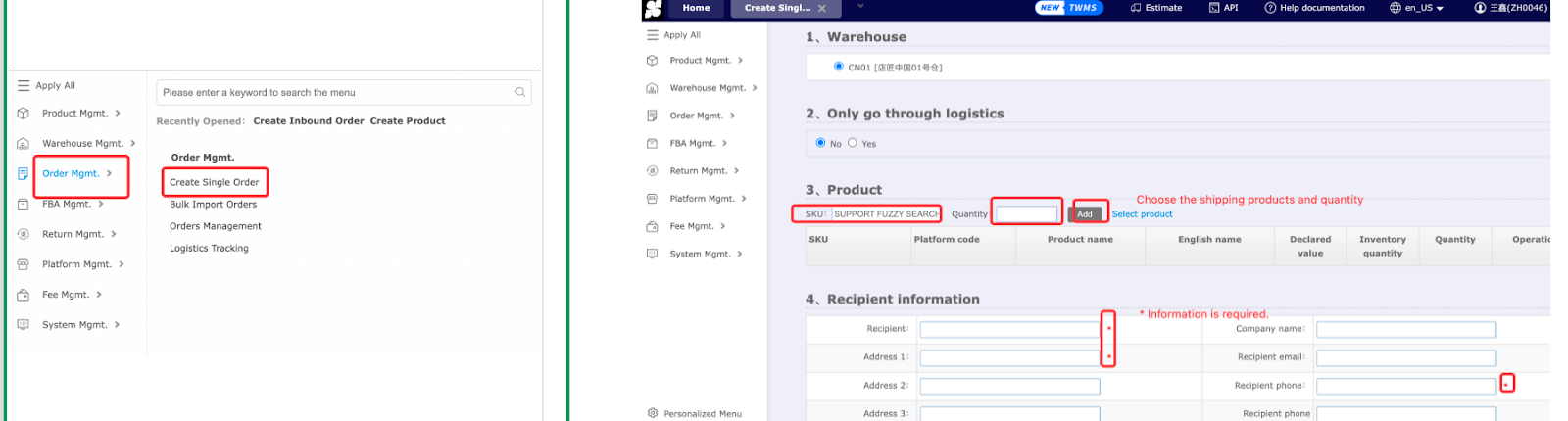
1. Log in to the Warehouse & Logistics System and click on Order Mgmt in the menu bar.
2. Click Create Single Order.
3. Select the product SKU(s) to be shipped and enter the quantity.
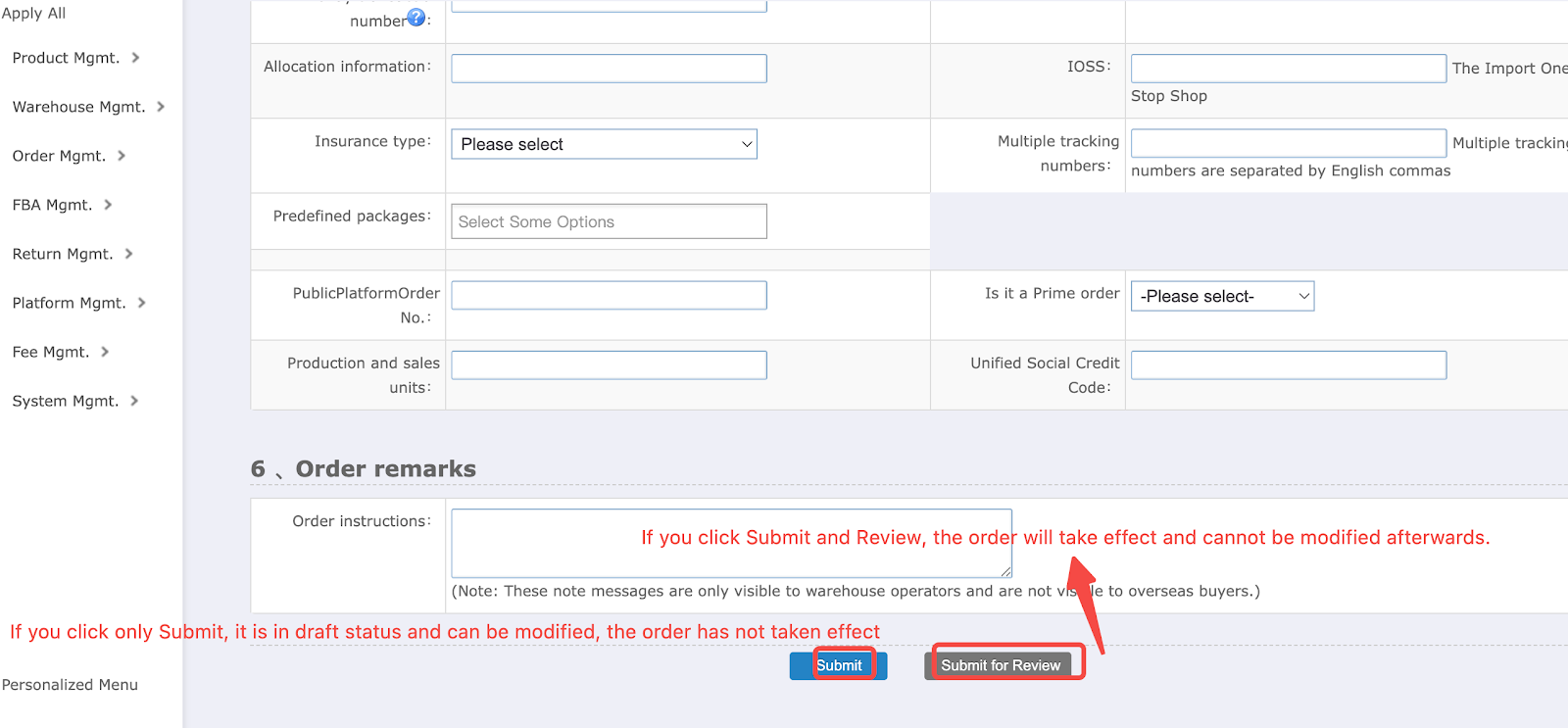
4. Fill in the recipient’s information.
5. Choose the shipping method.
6. Click Submit.
Illustration:
Method 2: Manual Bulk Order Creation
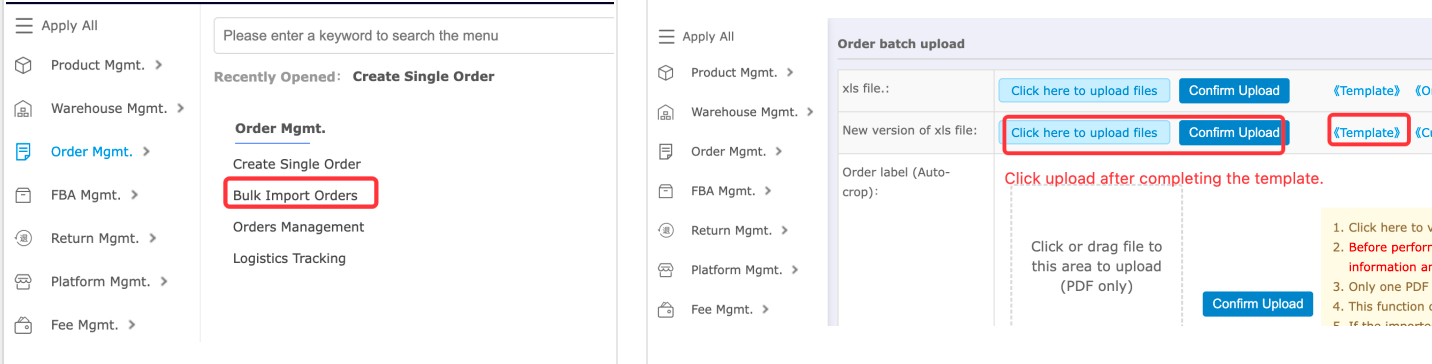
1. Log in to the Warehouse & Logistics System and click on Order Mgmt in the menu bar.
2. Click Bulk Import Orders.
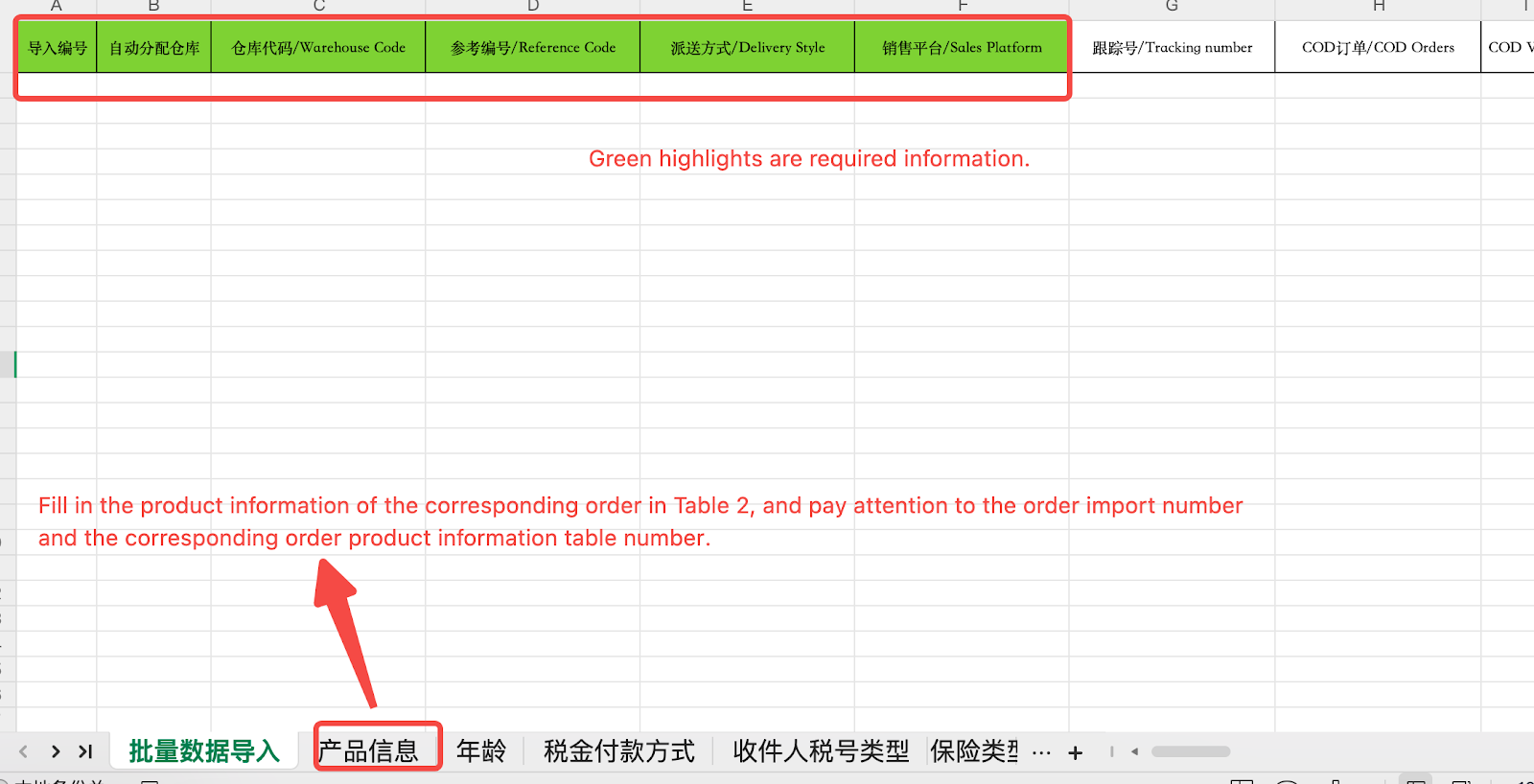
3. Click Template to download the template and fill in all required fields highlighted in green.
4. Upload the completed template.
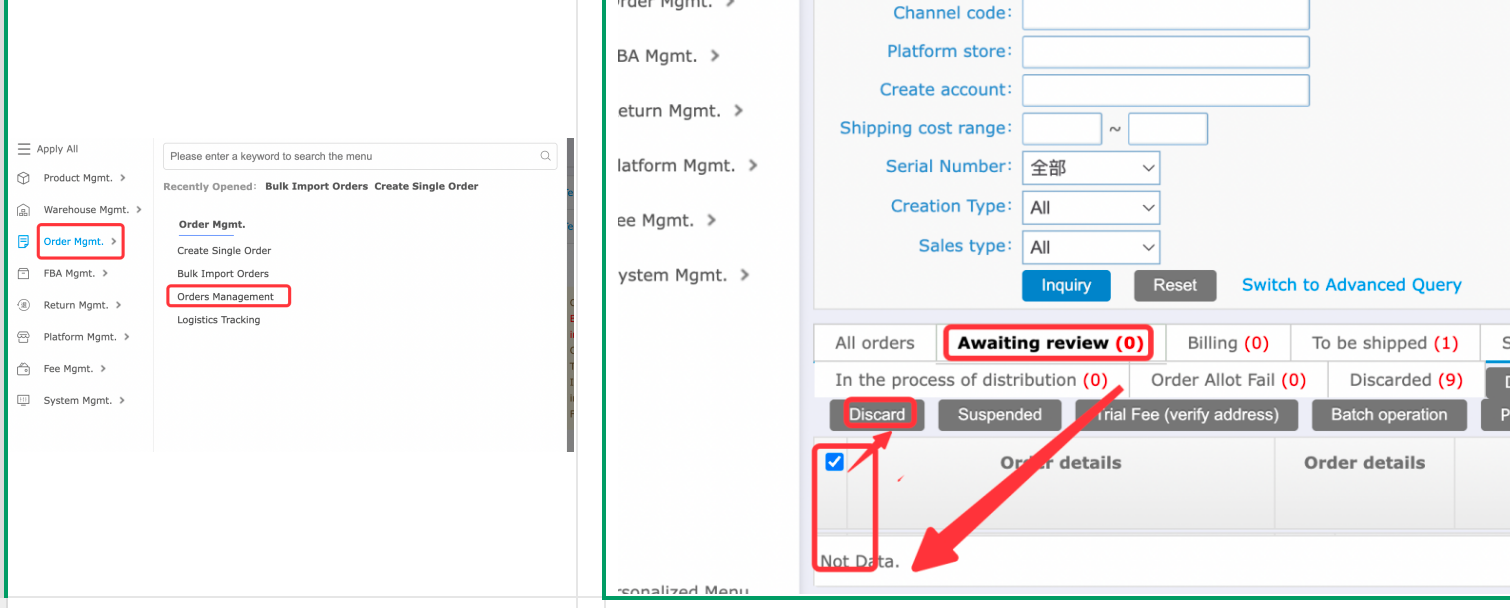
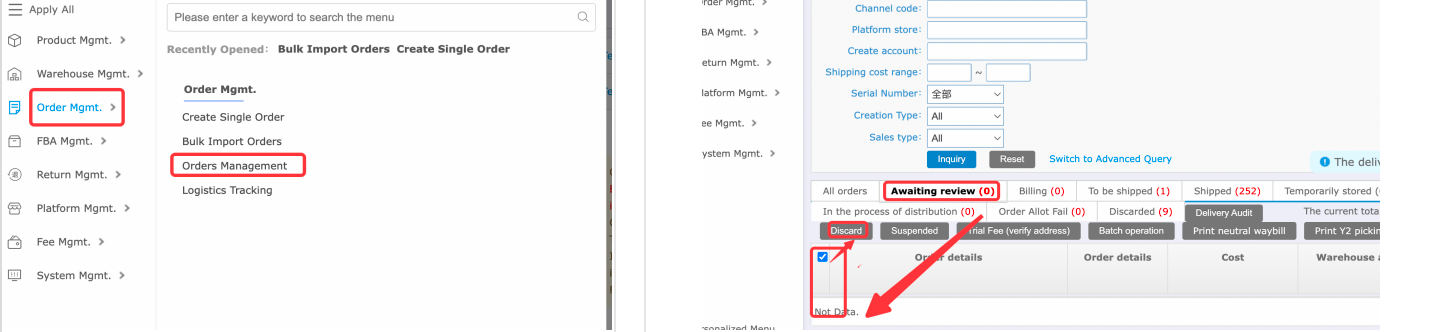
5. Go to Order Management.
6. Select orders with Pending Approval status.
7. Check the orders to be shipped and click Ship & Approve.
Illustration:
Method 3: Automatic Platform Order Synchronization
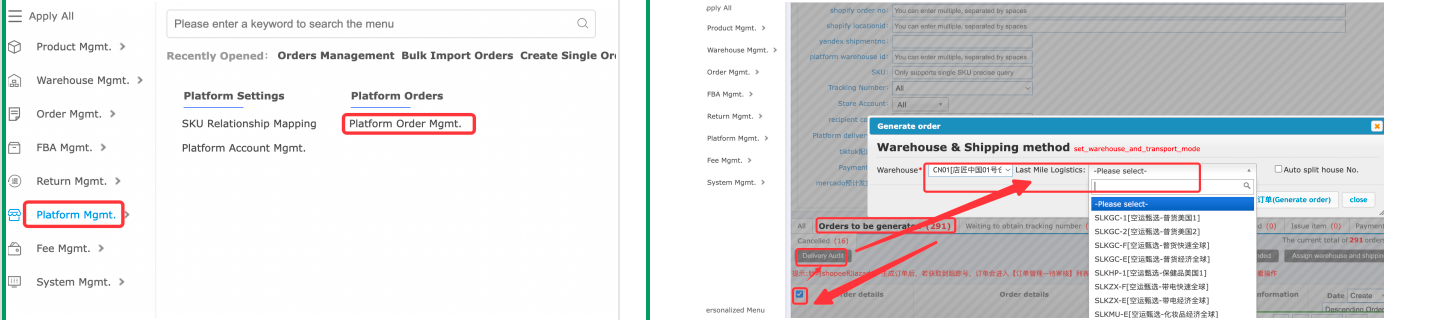
1. Log in to the Warehouse & Logistics System and click on Platform Management in the menu bar.
2. Click Platform Order Management.
3. Click Orders to Be Generated.
4. Select the orders that need to be shipped, click Ship & Approve, then assign the warehouse and shipping method, and confirm.
5. Go to Order Management.
6. Select orders with Pending Approval status.
7. Check the orders to be shipped and click Ship & Approve.
Illustration:
How to Check Inventory Information
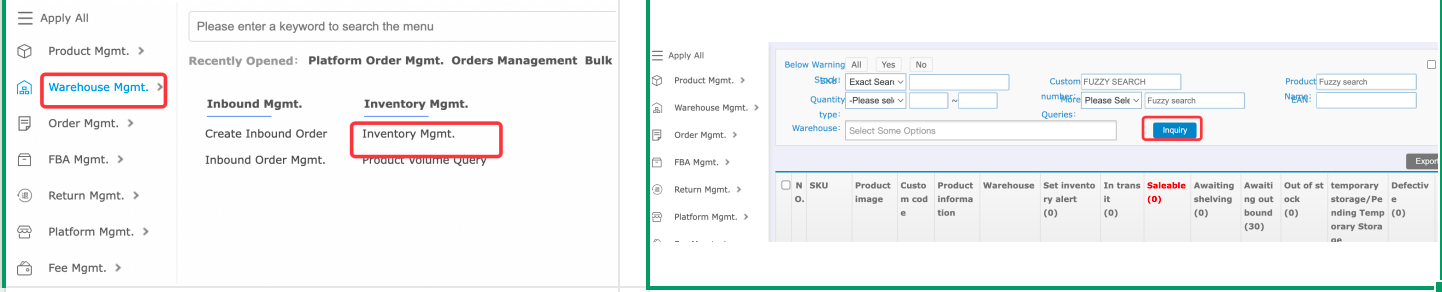
1. Log in to the Warehouse & Logistics System and click on Warehouse Mgmt in the menu bar.
2. Click Inventory Mgmt .
3. Click Inquiry.
Illustration:


Comments
Please sign in to leave a comment.