
If you need to integrate the cloud warehouse system with other platforms or systems via API, you may log in to the cloud warehouse system to obtain the appKey and appToken.
If you need to bind platform stores to the cloud warehouse system in order to synchronize product inventory, orders, and other data, this can be completed through platform authorization.
How to Obtain API Credentials
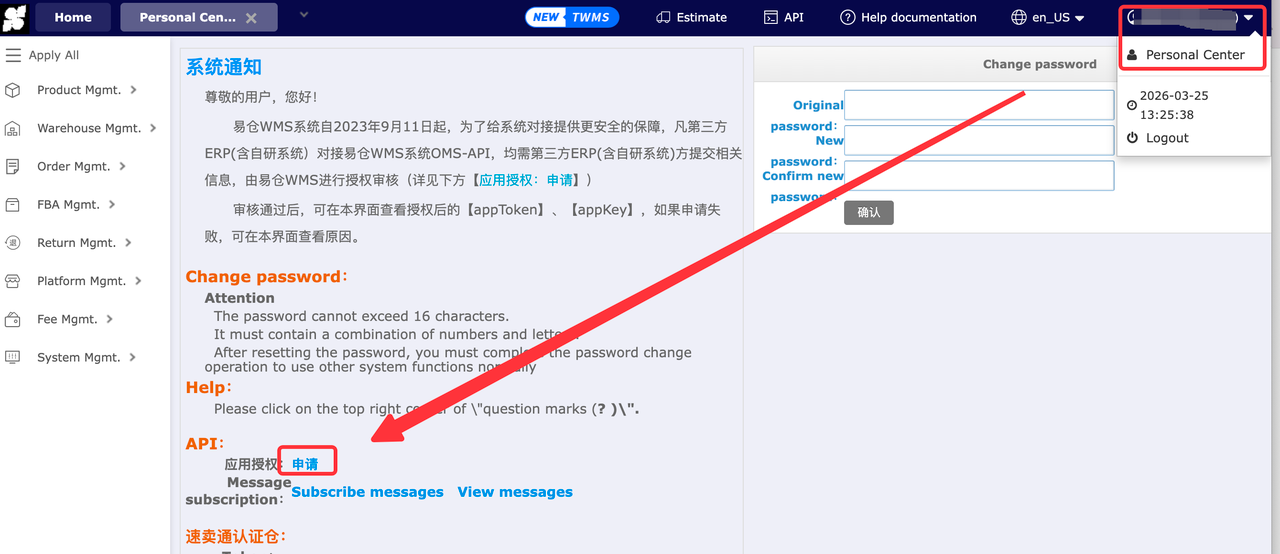
1. Log in to the Warehouse & Logistics System and click Personal Center in the upper-right corner.
2. Go to API Application Authorization and submit a request.
3. After submitting the application, please notify the cloud warehouse customer service team. The API credentials will typically be available within approximately 2 hours.
How to Bind a Platform Store
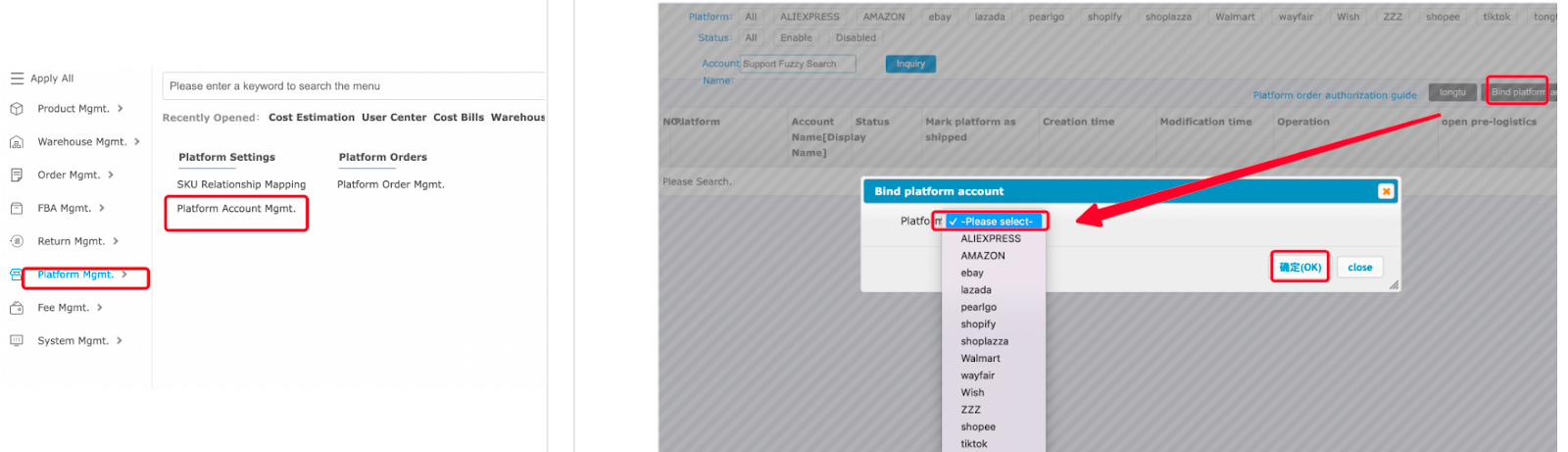
1. Log in to the Warehouse & Logistics System and navigate to Platform Management from the main menu.
2. Click Platform Account Management.
(You may click Platform Order Authorization Guide to view authorization instructions for different platforms.)
3. Click Bind Platform Account.
4. Select the platform and confirm your selection.
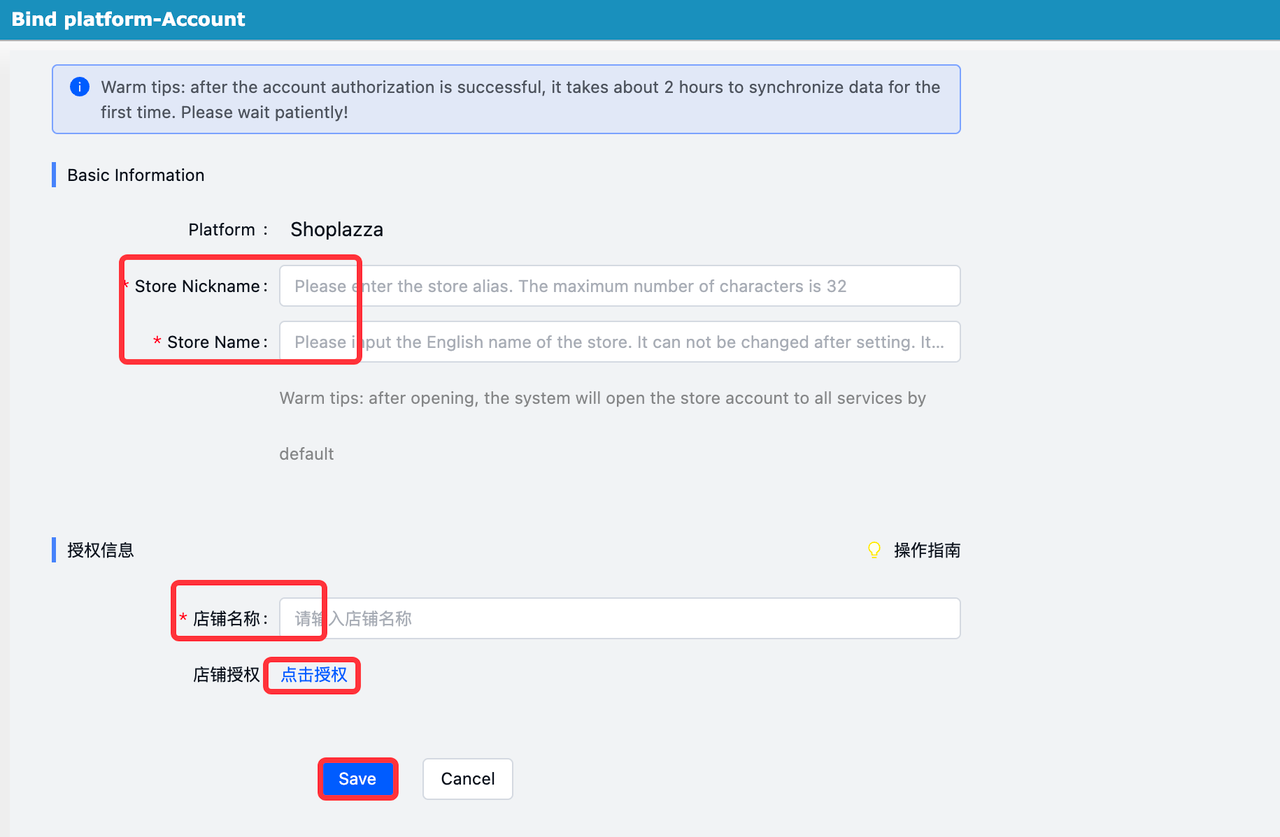
5. Enter the required store information and click Authorize and Save to complete the binding.
Note
A single account supports binding multiple platforms and multiple stores.


Comments
Please sign in to leave a comment.